
Health & Life Sciences
Connect ERP, inventory, reporting, quality-system handoffs, operational applications, databases, and other systems supporting regulated and process-driven operations.
Explore Health & Life Sciences →

TECHNOLOGY IMPLEMENTATION & SYSTEM ALIGNMENT
Connect ERP, CRM, databases, reporting, ecommerce, operational platforms, and custom applications so information moves reliably across the business. Gyan Solutions designs and implements integrations around real workflows, system ownership, data requirements, operational handoffs, and the information teams actually need.
Start with how information needs to move before deciding how systems should connect.
Connect ERP, CRM, finance, inventory, ecommerce, field-service, reporting, and other operational systems.
Use APIs, webhooks, middleware, and custom services to connect applications and automate reliable data exchange.
Improve how records, fields, statuses, identifiers, and operational information stay aligned across systems.
Bring information from multiple systems into reporting, dashboards, operational views, and decision-support environments.
Years of Implementation Experience
Projects Delivered Successfully
Industries Supported
Average Efficiency Improvement




Some organizations know their systems and data are disconnected but aren't yet sure whether the real problem is workflow, ownership, or integration. Others already know which systems need to connect and want the right technical team to build it. Choose the path that matches where you already have clarity.
For organizations facing disconnected workflows, duplicate entry, or poor visibility but who need to understand the problem before deciding what to connect.
 Review workflows, systems, data ownership, handoffs, and manual information transfersIdentify where information breaks down between teams, applications, and daily processesDetermine whether the fix is process redesign, data alignment, integration, or automation
Operational Review & Improvement can stand alone as a complete engagement, from diagnosis through improvement.
For organizations that already know which systems, applications, or workflows need to exchange information and are ready to build.
Turn the defined requirement into a clear technical and data-flow planBuild APIs, webhooks, middleware, and reliable systems integration across all platformsConnect systems while accounting for data mapping, ownership, and error handlingTechnology & AI Implementation can be engaged independently or alongside operational review work.
Integration is not simply moving data from one platform to another. A reliable integration needs clear ownership, mapped fields, defined triggers, business rules, exception handling, synchronization logic, and an understanding of how information is used after it arrives.
Connect ERP with the systems that support the rest of the operation.
Integration between ERP and CRM, ecommerce, inventory, warehouse, finance, reporting, QMS, LIMS, field-service, databases, and other business systems.
When employees repeatedly transfer ERP information manually, surrounding systems operate from different records, or reporting requires data to be assembled from several platforms.
Every business reaches a point where employees spend more time moving information between systems than using it. That is usually the moment systems integration becomes the smarter move.
The problem rarely requires replacing existing platforms. More often, the real issue is that no system clearly owns the information, so employees end up re-entering, exporting, or reconciling the same data by hand.
Reliable systems integration closes that gap. It defines which system owns which information and moves that data automatically between the applications that need it, reducing manual work and keeping every team working from the same numbers.
Employees enter the same information into multiple systems.Teams rely on spreadsheet exports to move data between platforms.Records in one system don't match records in another.Reports require manually combining data from several sources.Updates in one system don't reflect in connected systems.No one is sure which system holds the correct information.Connected systems should reduce friction, not add interfaces. Reliable integration means clear ownership, defined rules, and visibility when something fails.
Choosing an API, middleware platform, or integration architecture should come after the data flow is understood. First determine what information needs to move, which system owns it, and what should happen when the process fails.
We review the systems involved, the users who depend on them, and how information currently moves including existing manual transfers, reporting needs, and known exceptions. This shows where disconnected systems are creating operational friction and where reliable integration would matter most.
We determine which system owns each piece of information, what triggers a transfer, and how often it needs to happen. This includes the transformation rules, validation checks, permissions, and error handling required to keep data accurate and trustworthy on both sides.
We implement the APIs, webhooks, middleware, and data pipelines required for the defined workflow. We validate the integration against real operating scenarios and make sure failures are visible immediately, not discovered days later.
Technology is selected around the systems involved, available interfaces, data volumes, timing requirements, security, reliability, and long-term support needs.

REST APIs
Webhooks
Custom API services
Middleware
Event-driven integrations
Automated data exchange
Node.js
Python
.NET
PostgreSQL
MySQL
MongoDB
Existing SQL databases
Custom databases
AWS
Microsoft Azure
Google Cloud
Docker
Microsoft Power Automate
n8n
Make
Zapier
Retool
Integration work often connects the applications already supporting different parts of the business.
Microsoft Dynamics
NetSuite
Odoo
QuickBooks
Custom ERP platforms
Salesforce
HubSpot
Existing CRM environments
Custom customer-management systems
Power BI
Tableau
Metabase
Custom operational dashboards
Ecommerce platforms
Marketplaces
Order-management systems
Inventory systems
Warehouse systems
Field-service platforms
Scheduling systems
QMS
LIMS
Internal applications
Customer portals
Partner portals
Custom operational systems
Two systems can be technically connected and still create operational problems if they do not agree on what the data means. Before information is synchronized, important records, identifiers, ownership, and business rules should be aligned.
Define which system is responsible for creating and owning the authoritative version of each important record.
Define how customers, products, orders, assets, employees, locations, and other records are identified across systems.
Define when information should move, what conditions apply, and how updates should be handled.
Define what happens when records cannot be matched, validation fails, or systems disagree.
Integrations may involve production systems, credentials, business data, APIs, databases, and third-party platforms. Relevant access and data-handling requirements should be incorporated into the integration design.
API authentication
Application credentials
Role-based access
System permissions
Required fields only
Controlled system-to-system transfer
Data transformation
Client-defined restrictions
Environment configuration
Secret handling
Production access
Integration credentials
Integration logging
Error visibility
Failed-transfer handling
Operational escalation
Integrations move real business data between systems. Access, credentials, and error handling need to be built in from the start.
Integration requirements differ according to the systems, workflows, users, data, and operational dependencies involved.
Connect ERP, inventory, reporting, quality-system handoffs, operational applications, databases, and other systems supporting regulated and process-driven operations.
Explore Health & Life Sciences →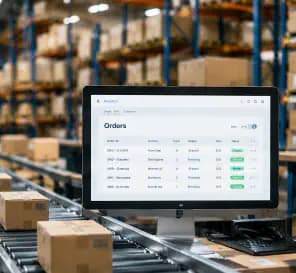
Connect ecommerce, marketplaces, inventory, order management, ERP, fulfillment, CRM, customer-service, finance, and reporting environments.
Explore Ecommerce →
Connect scheduling, work orders, CRM, ERP, field applications, customer records, inventory, billing, and reporting so field and office teams work from aligned information.
Explore Facilities & Field →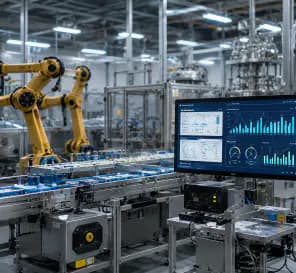
Connect ERP, inventory, production-related systems, quality information, maintenance workflows, databases, reporting, and operational applications across plant and business teams.
Explore Manufacturing →We begin by understanding how information should move across the operation, which systems own each record, and where disconnected data or handoffs create unnecessary work.
We discuss your systems, workflows, data sources, integrations, reporting, ownership, manual transfers, duplicate entry, exceptions, and any connection requirement already identified.
We review how information currently moves between systems and define whether the need is workflow improvement, data alignment, integration, automation, or both, including authoritative sources, interfaces, responsibilities, and controls.
If integration is the right path, we support the practical work through data alignment, APIs, middleware, ETL, system connections, reporting feeds, automation, and clearer cross-system operational visibility.
30-minute call
No obligation
Consulting and implementation scoped separately
Real outcomes from our operations consulting and implementation engagements.
Find where disconnected applications, duplicate data entry, inconsistent records, and manual system handoffs are creating unnecessary operational work.
Request a Free Operations Fit Call→


System integration is often the foundation for reliable reporting, automation, ERP workflows, and AI because each depends on trusted information moving across clear system boundaries.
When ERP needs to connect more effectively with CRM, inventory, reporting, databases, operational applications, or external platforms.
When connected and aligned data is ready to support AI-assisted interpretation, context assembly, and operational decision workflows.
Systems integration connects applications, databases, platforms, and business systems so information and workflows can move between them.Integration can use APIs, webhooks, middleware, ETL pipelines, database connections, scheduled workflows, or custom integration services.
Depending on the available technical access, Gyan can integrate:ERP CRM Ecommerce Inventory Order management Field-service platforms Scheduling systemsQMS LIMS Reporting tools Databases Custom applications Customer and partner portals APIs
Yes.ERP and CRM environments can be connected to synchronize customer records, orders, statuses, account information, financial or operational handoffs, and other required business data.The exact integration depends on the platforms and business workflow.
Data alignment means defining how the same business information is represented and managed across different systems.This can include field mapping, identifiers, formats, ownership, systems of record, transformation rules, and synchronization behaviour.
No.APIs are often the preferred approach, but some environments may require database connections, file transfers, middleware, scheduled processes, ETL pipelines, or other integration methods.The appropriate method depends on the source and target systems.
Often, yes.Depending on the technical environment, older systems may be connected through existing APIs, database access, scheduled exports/imports, file-based workflows, middleware, or custom integration layers.Contextual Link Explore Software Modernization →https://www.gyan.solutions/technology/modernization-services/
Yes.When systems are connected correctly, information entered or updated in one system can be transferred to other systems that require it.The integration design should clearly define which system owns the information and how updates are handled.
Where the source and target systems support it, real-time or near-real-time integration may be possible.Some workflows are better handled through scheduled synchronization.The appropriate frequency depends on the business requirement, available interfaces, data volume, reliability requirements, and system limitations.
A reliable integration should include appropriate error handling.Depending on the requirement, this can include logging, retries, alerts, exception queues, reconciliation, and escalation to the responsible person or team.
Yes.ERP, CRM, databases, applications, and other systems can feed reporting and BI environments so operational information can be viewed together.Contextual Link Explore Operational Reporting & Decision Support →https://www.gyan.solutions/operational-reporting-and-decision-support/
Yes.An integration can move information between systems, while automation can use that information to trigger tasks, approvals, notifications, status changes, or other workflow actions.Contextual Link Explore Business Automation →https://www.gyan.solutions/business-automation/
Not always.If the systems, records, data flows, triggers, ownership, and expected outcome are already clearly defined, integration can be scoped directly.When teams know information is disconnected but are not certain where the underlying workflow or data problem exists, an Operational Review can help define the correct integration requirement first.
Tell us where disconnected systems, duplicate entry, inconsistent information, or manual data movement are creating friction. We'll schedule a 30-minute Operations Fit Call to understand the workflow and help determine whether integration, data alignment, automation, reporting, or another improvement is the appropriate next step.
Focused on your goals
You decide the next step.
Consulting & implementation