


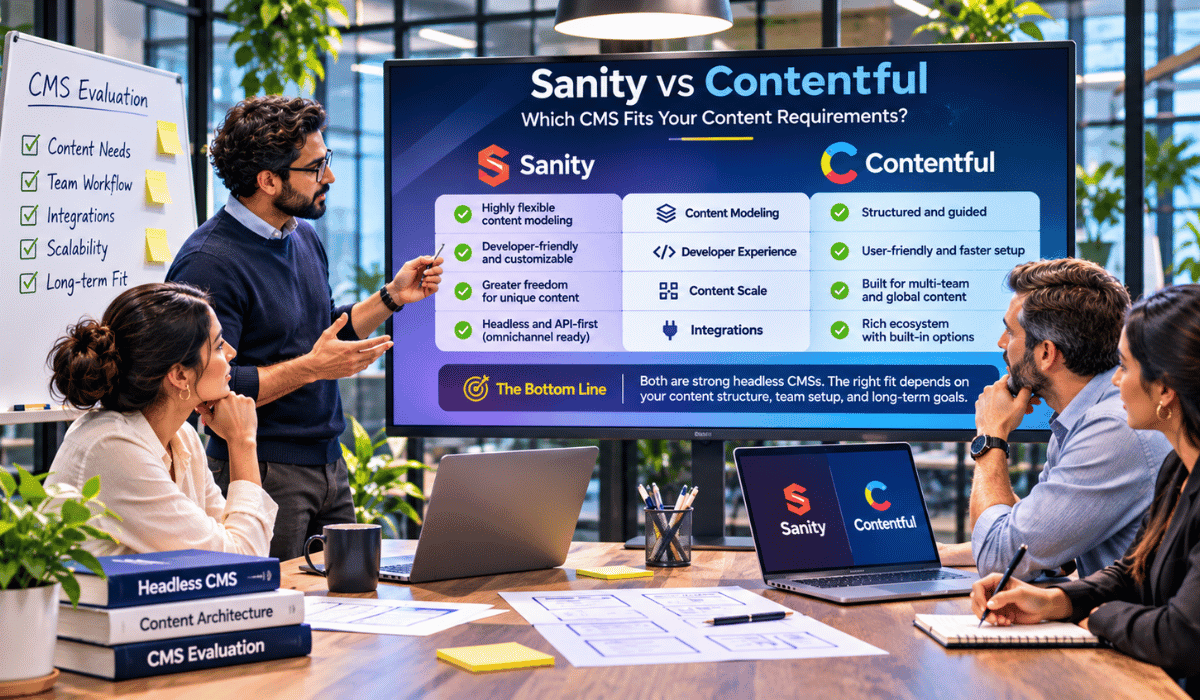
Short Summary
Sanity gives developers deeper control over content schemas and editing experiences. Contentful provides a managed editing environment and visual modeling. The better choice depends on your team, workflows, requirements, and budget.
Imagine two marketing teams comparing Sanity vs Contentful. Both platforms handle structured content, yet months later one team publishes campaign pages in minutes while the other files developer tickets for every layout change.
Feature lists miss why that happens. The real differences involve who builds the editing interface, how integrations are maintained, who controls publishing, and what ongoing ownership costs once the first launch is finished.
This guide compares both platforms using current official documentation and pricing. By the end, you will know which requirements favor each one and which realistic tests to run before committing.
Sanity vs Contentful: What’s the Main Difference?
Both are headless content platforms. They store content separately from your website, then deliver it through APIs to websites, apps, and other channels. The difference lies in how much of the editing experience you build yourself.
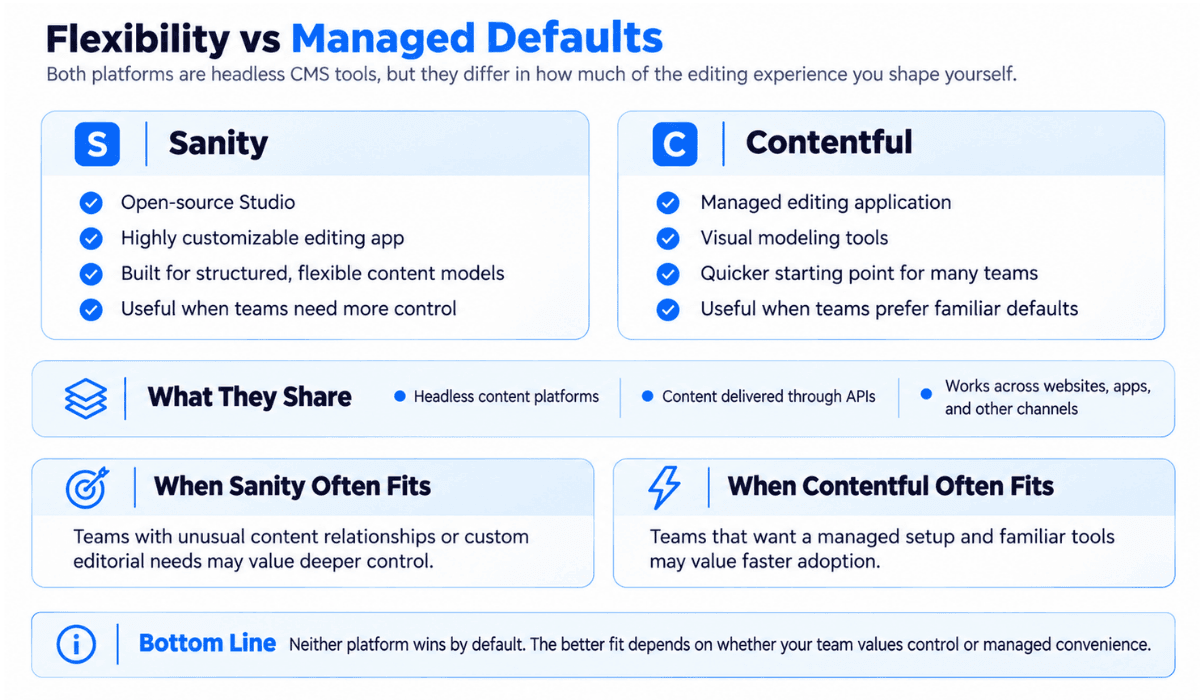
Sanity gives developers more control over the editing application, which is open source and customizable. Contentful offers a managed editing application with visual modeling tools, so teams start with less custom work but accept its conventions.
Neither approach wins in general. A team with unusual content relationships may value control, while a team that wants familiar tools quickly may value managed defaults.
How Their Content Modeling Approaches Differ
In Sanity, developers define content structure in JavaScript or TypeScript files. In Contentful, teams usually build content types in a visual web editor, while the Content Management API supports scripted changes.
Consider a retailer managing articles, campaign pages, and product stories. When marketing adds a new campaign banner, Sanity changes usually go through code review, while Contentful changes can start in the browser.
Code-defined schemas fit version control and repeatable deployments. Browser-based modeling lowers the barrier for non-developers, but someone must still own changes that could affect live website content.
Which CMS Works Better for Content Editors?
Sanity Studio can be tailored to your content, from simplified forms to custom views for specific roles. That tailoring is developer work, so the editing experience depends heavily on implementation quality.
Contentful gives editors a managed interface that works immediately. Its Lite plan adds comments, tasks, and scheduled publishing, while Sanity’s Growth plan includes comments, tasks, and scheduled drafts. Both platforms support further customization.
Neither platform removes developers entirely. New content types, layouts, and integrations still need technical help, so judge editor experience with your real content and your actual team.
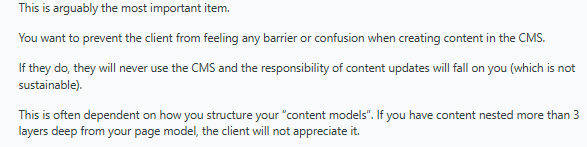
A Reddit developer highlights how complicated content structures can make everyday editing difficult for clients.
Visual Editing and Content Preview
Preview and visual editing are related but different. Preview shows how content will look, while visual editing lets editors click page elements and change them directly. Both platforms need frontend setup before these features work.
Sanity’s Presentation Tool
Sanity’s pricing page lists Live Preview, Visual Editing, and the Presentation tool on every plan, including Free. Your developers still connect the frontend, so availability does not mean editors get click-to-edit pages automatically.
Contentful Live Preview and Studio
Contentful Live Preview shows edits beside the entry. Its documentation says live updates and inspector mode require an SDK. Contentful Studio is a separate drag-and-drop product with custom pricing and typically needs frontend development.
Do not confuse Contentful Studio with Sanity Studio. Sanity Studio is the editing application, while Contentful Studio is a paid visual composition product. Ask what each team will actually pay for and build.
Localization and Multi-Market Content
Contentful uses configured locales, with fallback options when a translation is missing. Sanity does not impose one locale system; teams model translations at field level or document level, which gives choice but requires design decisions.
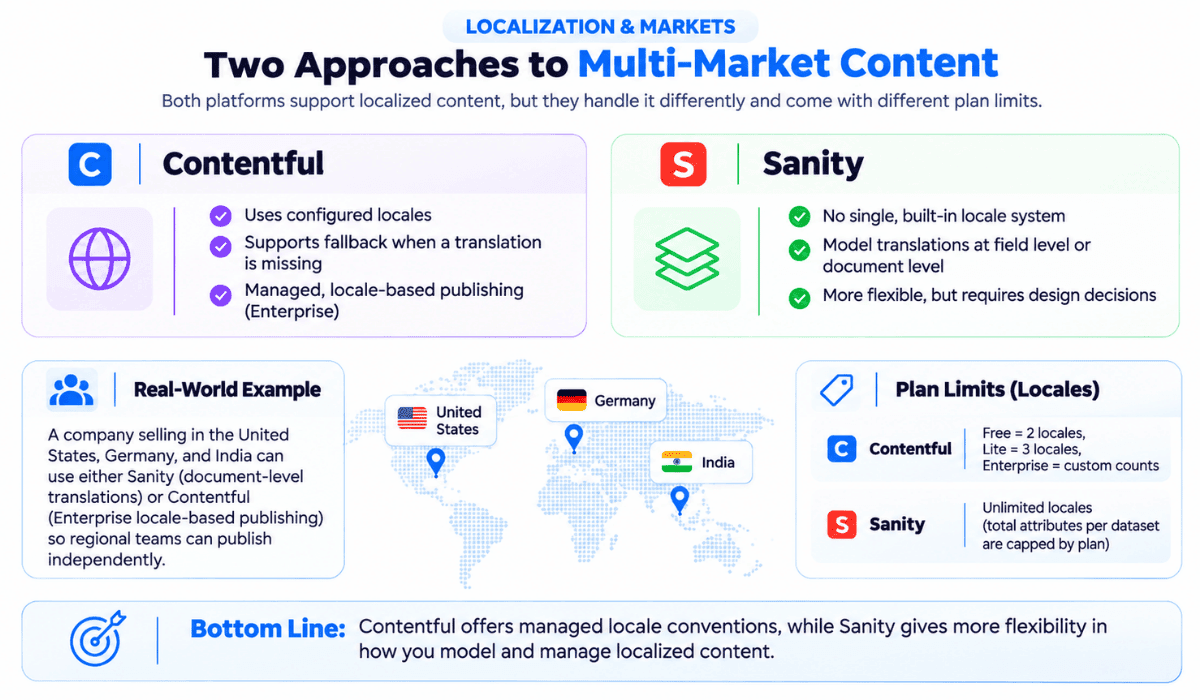
Picture a company selling in the United States, Germany, and India. If regional teams must publish independently, Sanity document-level translations or Contentful’s Enterprise locale-based publishing can both work, with different costs.
Plan limits matter here. Contentful lists two locales on Free, three on Lite, and custom numbers on Enterprise. Sanity’s pricing says locales are unlimited, though total attributes per dataset are capped by plan.
APIs, Integrations, and Developer Flexibility
Sanity supports GROQ, its own query language, and GraphQL. Contentful offers REST and GraphQL delivery APIs. A query language is simply how your website asks the CMS for exactly the content it needs.
GROQ gives developers expressive control but is one more skill to learn. REST and GraphQL are familiar to many teams, though both platforms still require developers to build and maintain the frontend integration.
Permissions, Publishing, and Governance
Both free plans include two roles, but Sanity Free offers only Administrator and Viewer, while Contentful Free includes an Editor role. Sanity Growth provides five roles; Contentful Lite provides three. Sanity lists custom roles under Enterprise.
The right choice depends on who approves content and what safeguards you need. Check plan details for scheduling, audit history, single sign-on, and role limits before assuming a governance feature is included.
Sanity vs Contentful Pricing and Long-Term Costs
According to Sanity’s pricing page, Free costs $0 for up to 20 seats and Growth costs $15 per seat monthly. Contentful’s pricing page lists Free at $0 for 10 users and Lite at $300 monthly.
The plans are not identical. Sanity charges per seat plus usage and add-ons, while Contentful Lite bundles 20 users and one million API calls into a monthly fee. Limits, not headline prices, shape real spending.
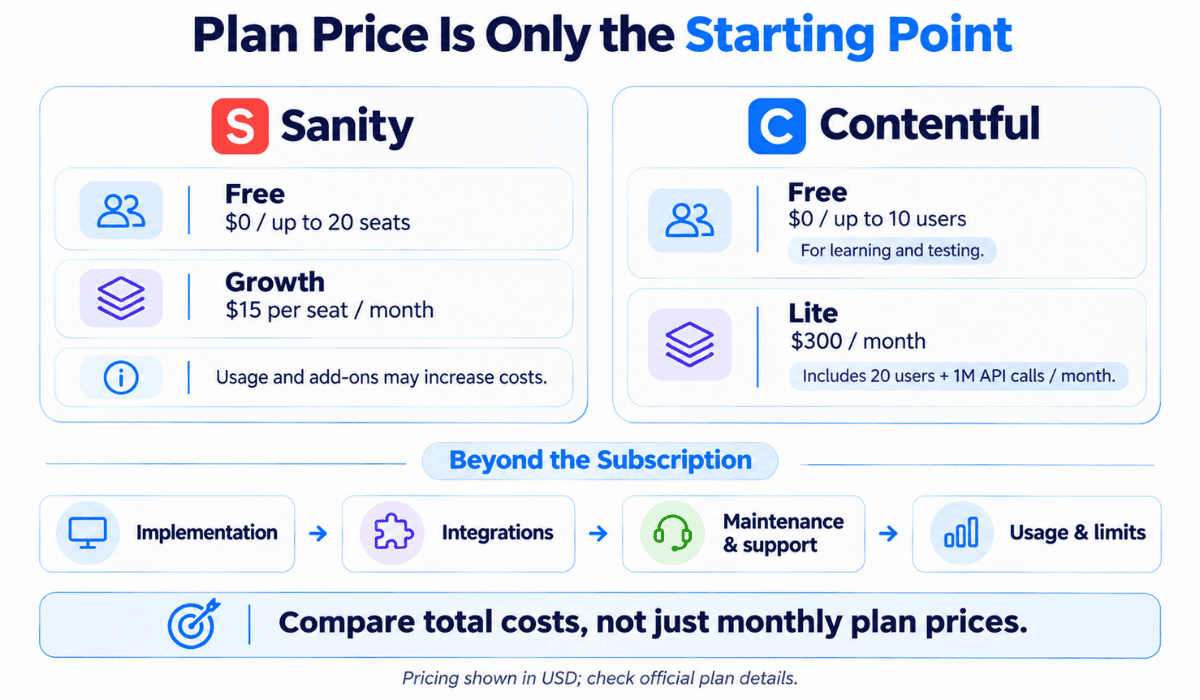
Total cost also includes implementation, custom development, integrations, maintenance, and support. Sanity’s custom editing work and Contentful’s Enterprise upgrades both add cost, so compare your own assumptions rather than assuming either platform is cheaper.
Sanity vs Contentful: Side-by-Side Comparison
This table summarizes the main decision factors discussed above. Use it as a quick reference, then verify plan-specific details on each vendor’s pricing page.
| Decision Factor | Sanity | Contentful |
|---|---|---|
| Content modeling | Code-defined schemas in JavaScript or TypeScript | Visual modeler plus Management API |
| Editorial experience | Customizable Studio built by developers | Managed interface, ready immediately |
| Customization | Open-source Studio, full code control | Apps and extensions through App Framework |
| Visual editing | Presentation tool; frontend setup needed | Live Preview; Studio sold separately |
| Localization | Custom patterns, unlimited locales | Configured locales with fallbacks |
| APIs | GROQ and GraphQL | REST and GraphQL |
| Governance | Five roles on Growth; custom on Enterprise | Three roles on Lite; custom on Enterprise |
| Pricing approach | Per seat plus usage | Plan tiers, custom Enterprise |
| Maintenance responsibility | Team maintains custom Studio code | Vendor maintains the interface |
Read each row as a tradeoff, not a score. Rows that matter most for your team should outweigh the rest, and plan-dependent items need confirmation before you commit.
When Sanity Is the Better Fit
Sanity suits teams that need tailored editorial interfaces, code-managed schemas, or complex relationships between content types, such as products, authors, campaigns, and regional pages. Developers can shape the editing experience around those relationships.
The tradeoff is ownership. Someone must build, test, and maintain customizations, so teams without frontend skills may need outside help, such as Sanity CMS implementation support, before editors see the benefits.
When Contentful Is the Better Fit
Contentful fits organizations that want a managed editorial application, browser-based content modeling, defined locale controls, and enterprise governance, depending on plan. Authorized users can adjust content types without waiting for a code release.
The tradeoff is dependence on platform conventions and licensing. Features such as Studio, Personalization, and advanced governance may require separate or Enterprise agreements, so confirm what your future roadmap needs before committing.
What Should You Test Before Choosing?
Marketing pages cannot reveal how each platform behaves with your content and editors. Run a small trial with real material, then compare the effort each task required.
- Model one real content type
- Edit and preview a campaign
- Connect content across records
- Test access and publishing responsibilities
- Estimate realistic operating costs
Record the time and developer effort each task requires, because the decision should reflect your actual requirements and available technical resources rather than a vendor demonstration.
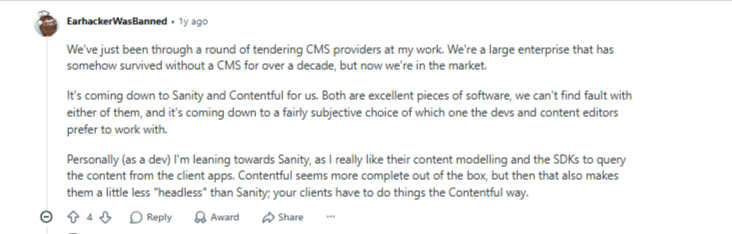

Reddit discussions show how CMS choices depend on team preferences and technical requirements, from comparing Sanity and Contentful for enterprise projects to choosing Strapi for its JavaScript-based development experience.
Final Verdict: Choose Based on Your Requirements
Choose Sanity when you need custom editing interfaces, code-managed schemas, and complex content relationships, and you have developers to maintain them. Choose Contentful when a managed editor, visual modeling, and governance controls matter more.
Neither platform is universally better. Content structure, editor needs, technical ownership, governance, and cost matter more than a long feature list, so test both against real work before deciding.
A practical principle: choose the platform whose customization needs your team can realistically build, maintain, and afford. If nobody will own that work, the managed option deserves a closer look.

NATHAN ALLEN
I'm Nathan Allen, Director of Artificial Intelligence at Gyan Solutions. With 8+ years building AI systems, custom software, and cloud-native platforms, I deliver applications that scale reliably and drive measurable business outcomes.





