
Health & Life Sciences
Operational dashboards, workflow tools, compliance-aligned applications, reporting systems, and data visibility for regulated teams.
Explore Health & Life Sciences →


TECHNOLOGY IMPLEMENTATION & CUSTOM SOFTWARE
Build software that fits the way your business actually runs. We design dashboards, portals, automation, integrations, and custom applications around real workflows, system gaps, data needs, and daily execution.

Workflow-first approach, not code-first delivery
Designed for visibility, control, and daily execution
Built with your systems, data, and teams in mind
Start with a practical conversation before deciding what to build.
Real-time visibility, KPIs, custom reports, and decision-ready dashboards built around the metrics your teams actually use.
Automate approvals, tasks, notifications, handoffs, and repeatable steps that slow teams down or create manual follow-up.
Connect ERP, CRM, QMS, inventory tools, APIs, spreadsheets, and internal systems so teams work from cleaner data.
Build internal tools, client portals, partner portals, and role-based applications that support the way work actually moves.
Years of Implementation Experience
Projects Delivered Successfully
Industries Supported
Average Efficiency Improvement




Some organizations know they have a workflow, systems, reporting, or visibility problem but are not yet certain whether custom software is the right answer. Others already have a defined software requirement and need the right team to design, build, integrate, and implement it. Choose the path that matches what you already know and what still needs clarity.
For organizations that have an operational problem but need to understand the workflow, systems, and underlying constraints before deciding what should be built.
 Review workflows, users, systems, data, reporting, handoffs, and manual processes.Identify where the real operational constraint exists and what is creating unnecessary work, delays, or visibility gaps.Determine whether the right answer is process improvement, integration, automation, reporting, changes to an existing system, or custom software.
Operational Review & Improvement can stand alone as a complete engagement.
For organizations that already know custom software is required and need the right technical team to turn that requirement into a working system.
Design and build custom applications, portals, dashboards, and internal platforms.Connect the software with ERP, CRM, existing applications, APIs, reporting environments, and all real operational business data.Test, deploy, integrate, and roll out the completed solution fully within the organization's existing technology and business systems environment.Technology & AI Implementation can stand alone or follow advisory work.
Each software build starts with the workflow behind it. We look at how work moves, where teams lose visibility, which systems need to connect, and what the software must support before anything is built.
Custom dashboards built around real business data, not generic KPI templates. We turn scattered reports, spreadsheets, and system data into clear visibility your team can use for daily decisions.
Custom dashboards and reporting tools that turn scattered business data into clear operational visibility.
When teams rely on spreadsheets, delayed reports, disconnected systems, or manual updates to understand what is happening.
Real-time dashboards, KPI views, exception reports, scorecards, and custom reporting tools built around the decisions your team needs to make.
Start with a workflow and system review before choosing the software path.
Every business reaches a point where spreadsheets, workarounds, and disconnected tools start slowing people down. That is usually the moment custom software becomes the smarter move.
Off-the-shelf tools can work well in the beginning. But as your business grows, your workflows become more specific, your data becomes harder to manage, and your team starts spending more time working around the software than using it.
Custom software development gives your business a better fit. It connects the way your teams actually work, improves visibility, reduces manual effort, and supports the processes that make your operation run.
Your team relies on spreadsheets or manual workarounds.Processes take too long or require constant follow-ups.Your tools do not connect, causing data gaps and duplicate work.Reports are hard to generate or do not show real-time insight.Important decisions depend on data pulled from too many places.Your team is adapting the process to fit the software.Your current software cannot keep up with how the business operates now.The right software does not just add another tool. It removes friction, connects work, improves visibility, and gives your team a better way to run the business.
Most custom software projects fail when teams start building before the real operational problem is clear. We start with workflow, data, systems, and user needs, so the final software supports how the business actually runs.
We map how work moves across teams, systems, spreadsheets, approvals, reports, and handoffs. This shows where manual work, disconnected tools, unclear ownership, or data gaps are slowing execution. If a build is not the right first step, we make that clear early.
We turn the workflow into a clear software scope: what users need, what data matters, how systems connect, and what the output should support. This keeps the build focused, practical, and tied to the real business need.
We build around the operational context, not a generic template. The final solution is aligned with your workflow, systems, users, reporting needs, and daily execution, with support for rollout and adoption.
Start with a fit call. We’ll help you see whether custom software is the right next step, or whether the real gap is workflow, data, systems, or reporting.
We choose technology around the workflow, system environment, integration needs, security requirements, and long-term support plan. The goal is not to use the newest stack for the sake of it. The goal is to build custom software that is stable, scalable, maintainable, and practical for daily business use.


We connect operational systems, business platforms, automation tools, and reporting environments so data can move reliably across the organization.


Gyan Solutions builds custom software around operational context. Each industry has different workflows, system gaps, reporting needs, user roles, and execution pressure. We design software around those realities, not generic templates.
Operational dashboards, workflow tools, compliance-aligned applications, reporting systems, and data visibility for regulated teams.
Explore Health & Life Sciences →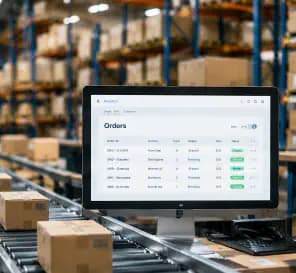
Order management, inventory visibility, fulfillment workflows, customer portals, operational reporting, and exception management tools.
Explore Ecommerce →
Mobile tools, field reporting, service workflows, scheduling visibility, task updates, and team coordination systems.
Explore Facilities & Field →
Client portals, utilization dashboards, project tracking, approval workflows, reporting tools, and resource management systems.
Explore Professional Services →A clean build starts with clear decisions. Gyan Solutions keeps the process practical, focused, and tied to the way your business actually operates.
We start by understanding the workflow, existing systems, data, users, and operating need before deciding whether the right path is process improvement, implementation, or both.
We discuss your current workflows, users, existing applications, reporting needs, data movement, manual work, system limitations, and any already-defined custom software requirement.
We review the operating need and identify whether the right approach is Operational Review & Improvement, Technology & AI Implementation, or both, then define workflows, integrations, outcomes, and responsibilities.
If the need is clear, we support the agreed path through workflow and system improvement, portals, internal tools, dashboards, integrations, automation, or custom applications built around the operation.
30-minute call
No obligation
Consulting and implementation scoped separately
Real outcomes from our operations consulting and implementation engagements.
Find where workflows, data, reporting, and software gaps are slowing the business before deciding what to build next.
Request a Free Operations Fit Call→


Custom software is often connected to reporting, automation, integration, or an existing system that needs improvement. Explore the area that best matches what is creating the operational gap.
When custom applications need to exchange reliable data with ERP, CRM, databases, reporting tools, or other operational systems.
When the real need is to reduce manual approvals, repetitive work, handoffs, notifications, or workflow coordination before adding more software.
When teams need dashboards, clearer KPIs, exception visibility, or trusted reporting across multiple systems and data sources.
When an existing application still provides value but needs better interfaces, integrations, reporting, infrastructure, or selected components rebuilt.
Custom software development means building software around your business workflow instead of forcing your team into a generic tool. It can include dashboards, portals, workflow automation, integrations, mobile apps, reporting tools, and internal business applications designed for how your team actually works.
Custom software is usually the better fit when standard tools cannot support your workflow, approval rules, reporting needs, integrations, user roles, or operational complexity. It is also useful when teams are relying too much on spreadsheets, manual follow-ups, duplicate data entry, or disconnected systems.
We start by reviewing the workflow, users, data, systems, reporting needs, and operational gaps behind the request. This helps define the right software scope before development starts, so the build solves the real business problem instead of adding another tool.
Gyan Solutions builds operational dashboards, internal portals, partner portals, workflow automation tools, custom business applications, mobile apps, system integrations, reporting tools, order management systems, and AI-enabled operational tools. Each build is scoped around the workflow it needs to support.
Yes. We can connect custom software with ERP, CRM, inventory systems, QMS, LIMS, databases, APIs, spreadsheets, reporting tools, and other business platforms. The goal is to reduce duplicate work, improve data flow, and help teams work from clearer information.
Not always, but it is often the smartest first step when the workflow, data, system gaps, or reporting needs are unclear. A review helps confirm what should be built, what should be connected, and what may not need custom development at all.
Yes. We can review older applications, spreadsheets, databases, portals, dashboards, or internal tools and identify what should be improved, rebuilt, integrated, automated, or left in place. The goal is to modernize without disrupting work that the business still depends on.
Tell us a bit about your goals and challenges. We'll schedule a 30-minute Operations Fit Call to understand your needs and recommend the right next steps.
Focused on your goals
You decide the next step.
Consulting & implementation