



Quick Summary
The UX design of mobile apps misses the mark 90% of the apps are abandoned because of poor usability. The article focuses on the ways in which the optimization of thumb zones, load time shorter than 2 seconds, accessibility requirements, and friction-free onboarding are direct determinants of retention rates. Based on the example of Duolingo, Airbnb, and Booking.com, we unveil the design choices that make the difference between successful and deleted apps.
Think about making a new activity tracking and AI-generated work-out app. It is not old-fashioned, and the system offers easy logging and intelligent suggestions. After two minutes frustration sets in. The use of navigation buttons is concealed behind the poorly laid out menu systems, the progress tracking system is unnecessarily cumbersome and slow, and the onboarding process leaves you completely lost. You get out, uninstall the app and promise never to go back.
You are not the only one who goes through it. According to Google UX Research, 9 users in every 10 people drop an app due to bad design or failure to work. In the current mobile software development market which is highly saturated as usual, outstanding UX is no longer just an asset but a survival necessity.
The article not only discusses why UX design is the sole determinant of mobile apps success, why the proven strategies are best put into practice, but also provides some real world examples of how companies managed to use superior UX to secure lasting user attention and sustained dominance in the market.
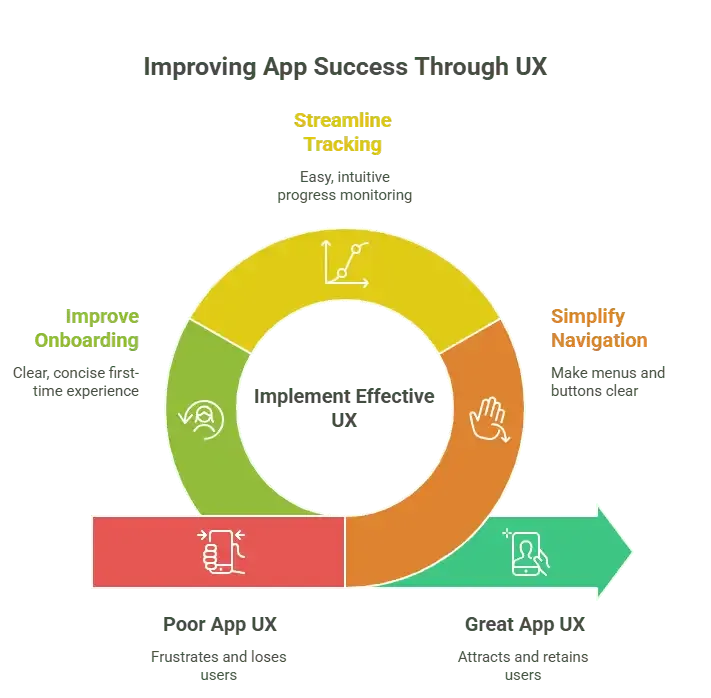
What is UX Design and Why Does it Matter?
UX (User Experience) design is concerned with the way the users experience in utilizing your app. It extends to structure, usability, flow of navigation, appearance, micro-interactions and emotional appeal. A well-made app is easy to get, fast and fulfilling; a badly made app is frustrating, cumbersome and worthless.
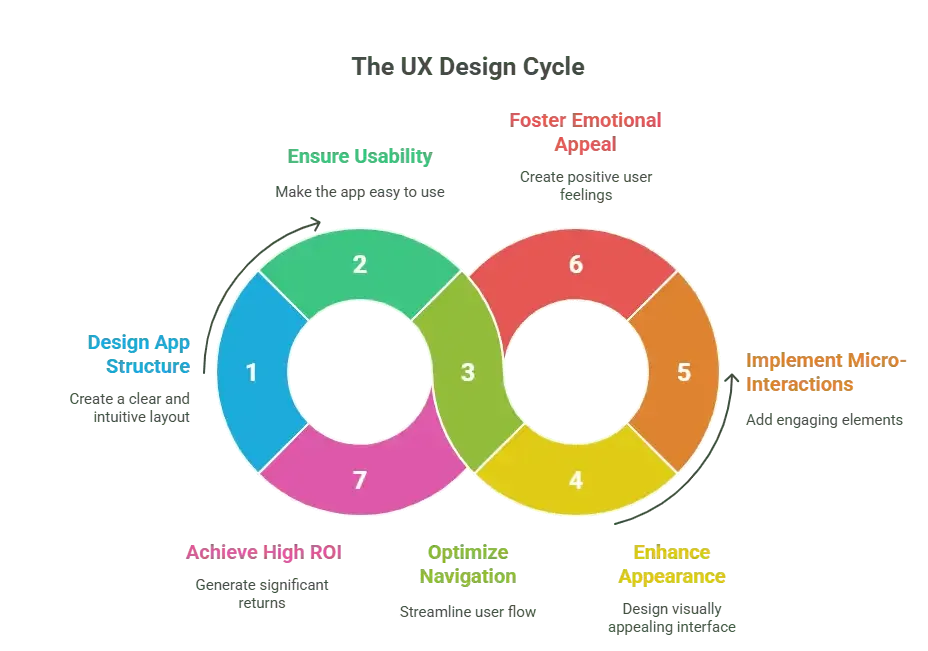
According to a study conducted by Forrester Research, $1 cost spent on UX results in a $100 gain, which shows an outrageous ROI of 9,900%. The reason is that the UX will influence initial impressions, the re-use of the app, and the pillars of a successful app
First Impressions Drive Retention
Users can make an opinion concerning your app in 0.05 seconds (Behaviour & Information Technology Journal). During that moment, it all depends on the intuitiveness of user interface, visuality, and speed of loading of websites and apps which determines whether they use it or leave your app forever.
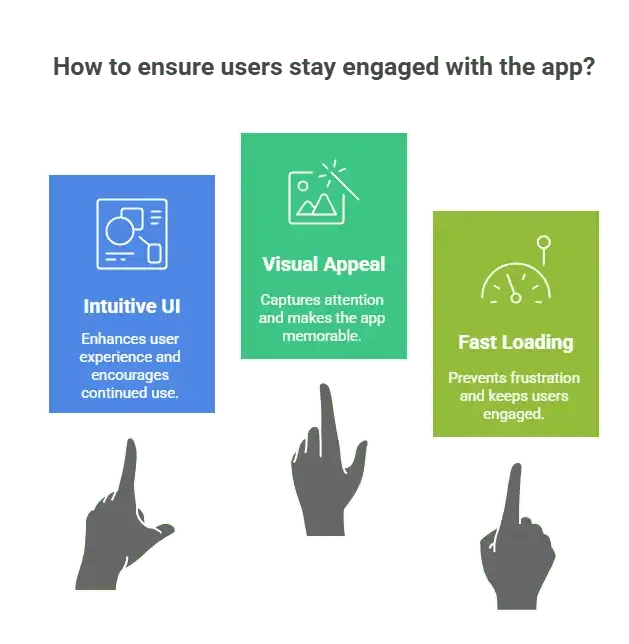
As an example, the simplicity of the Airbnb design and clear searches allow the users to take and reserve accommodation with ease. Their philosophy of UX? “Trust and clarity are more important considerations to design than functionalities.” Resorting to emotional comfort and functional clarity, Airbnb created the product that reshaped the global form of travelling.
The Cost of Bad UX: Real Numbers
Still, the impact of neglecting UX is ruthless. Research indicates that bad usability makes 70 % of online businesses fail (UX Cam). Moreover, users get rid of an app after using it two times only in 86 % of the cases when it was hard to navigate (Localities). The rate at which user does not want to engage again with a brand because of poor mobile UX is 52 % on its own (Google).
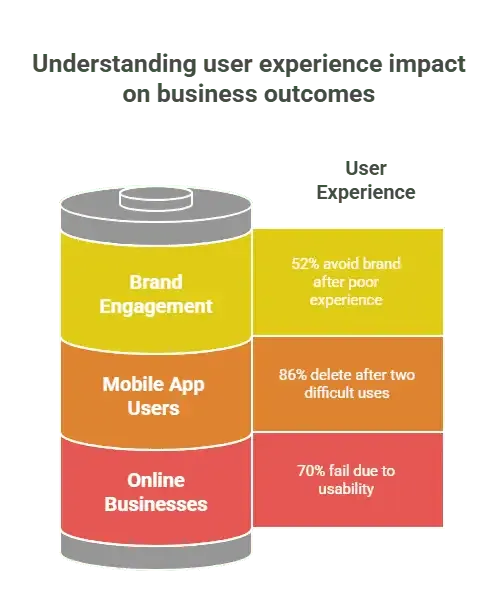
The figures are clear indicators that users are not slow in calumniating experience. Even the most innovative backend can do nothing with the unpleasant experience a user will have; even taking into account the next point, the program or a web site should be convenient.
Best Practices for High-Impact Mobile UX Design
Creating high-impact mobile UX is not only about beauty but it is about designing something simple and easy-to-understand and here the key point is that it should satisfy the users. These best practices will assist you in creating apps that will be well-liked by people and keep returning to them.
Prioritise Simplicity Over Feature Overload
Apps with more features are not necessarily better, in fact, it may complicate things to the users. Tangled displays make people walk away. Stick to the main idea of your app and create flows that will support it in an easy way. As an illustration, there were no stories and reels when Instagram was initially successful. The users fell in love with their recent, easy-to-use posting photos with filters.

Design for Thumb Zones
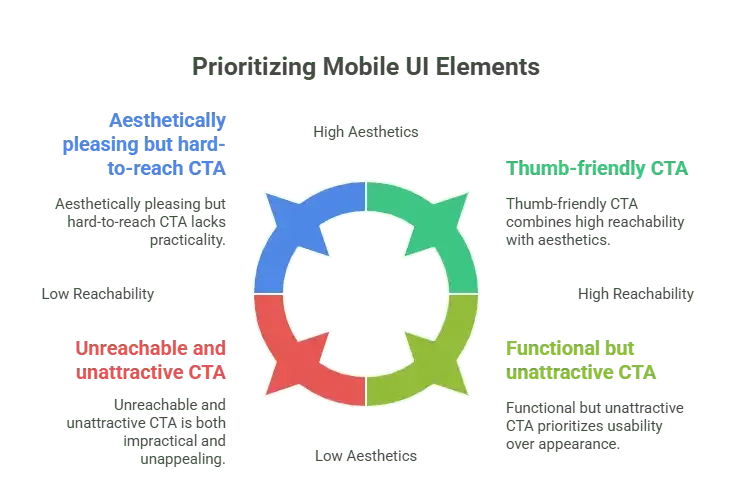
Majority not less than 75 % of the users use their smartphones using a single hand (UX Matters). It implies that the main actions, the navigation buttons, and important features should be close to the thumb. Poor placement may spoil the usability on bigger screens and annoy the user. It is also important to remember that reachability is usually more important than aesthetics. It does not make sense to have a well-designed CTA, just to make it difficult to tap at with gratification.
Speed is Part of UX
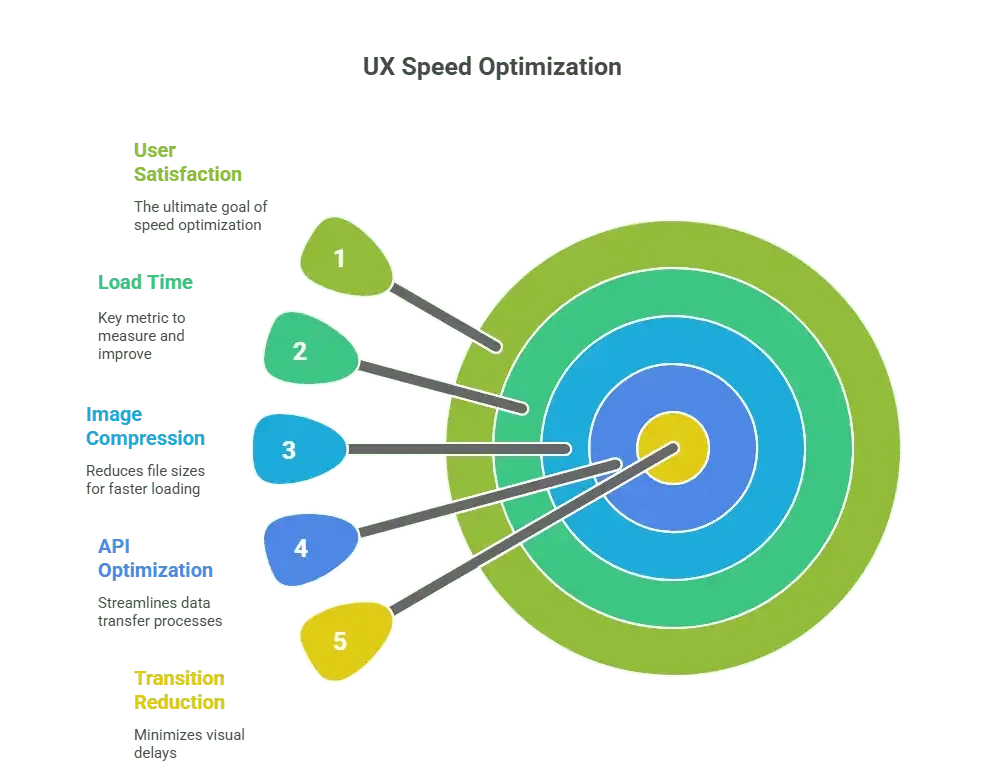
Losing a single second of your application means the user satisfaction will decrease by 16 percent (Aberdeen Group). The loading speed is of paramount importance not to make the user abandon the site. Optimize transitions by compressing images, backend APIs, and making it less than 2 seconds. One of the best examples is Booking.com in which a 0.1 second speed improvement raises conversions by 1%. These incremental gains amount into millions of extra revenues annually.
Create Clear, Guided Onboarding
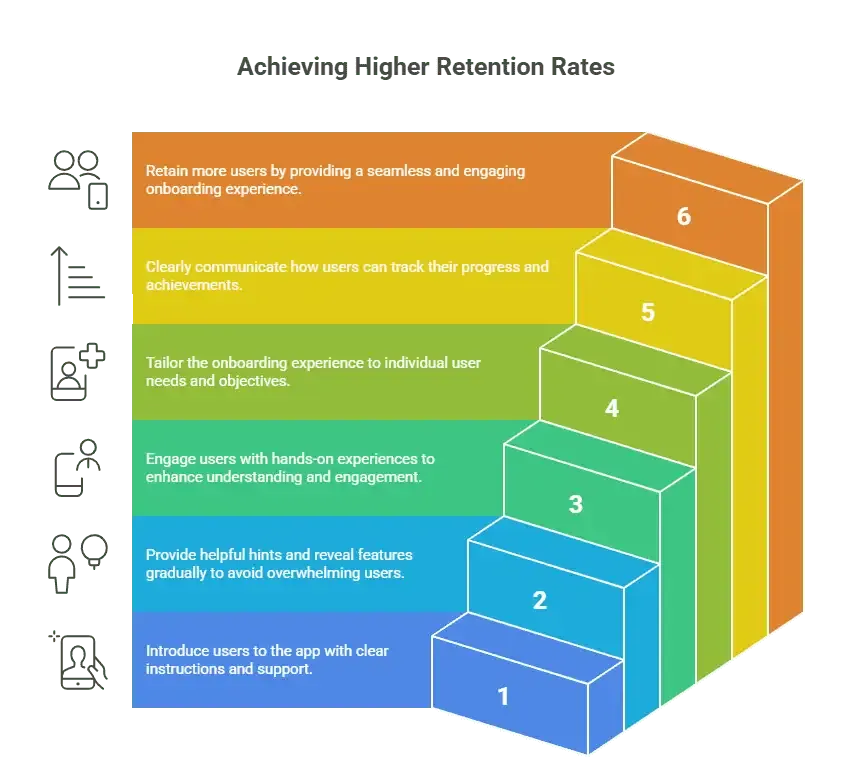
User experiences on the first run have a great deal to do with app retention. Onboarding Guided flows increase the retention rates of apps by half (Appcues). Onboarding can be easy, fast, and instantly familiar using tooltips encouragement, progressive disclosure, and interactive walkthroughs. As an example, in Duolingo, learning goals are personalized, and the progress is explained. It introduces users to the site in a total of 30 seconds, which helps to amass the huge number of daily active users.
Leverage Platform Design Guidelines
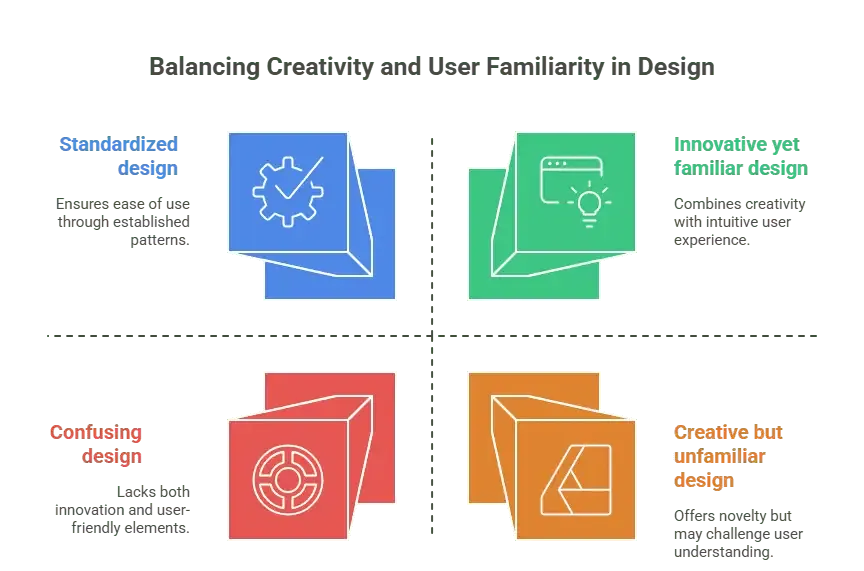
Client familiarity is developed using Google Material design or Apple Human Interface Guideline. Such instructions minimize cognitive demand and rely on gestures, navigation scheme, and first user knowledge. Design according to these standards that your app will be intuitively smooth. Substantial exposure: An attempt to be excessively imaginative by overriding these rules is probably counterproductive. Users may be affected in a negative way, becoming baffled and frustrated by it.
Embrace Accessibility as a Core Principle
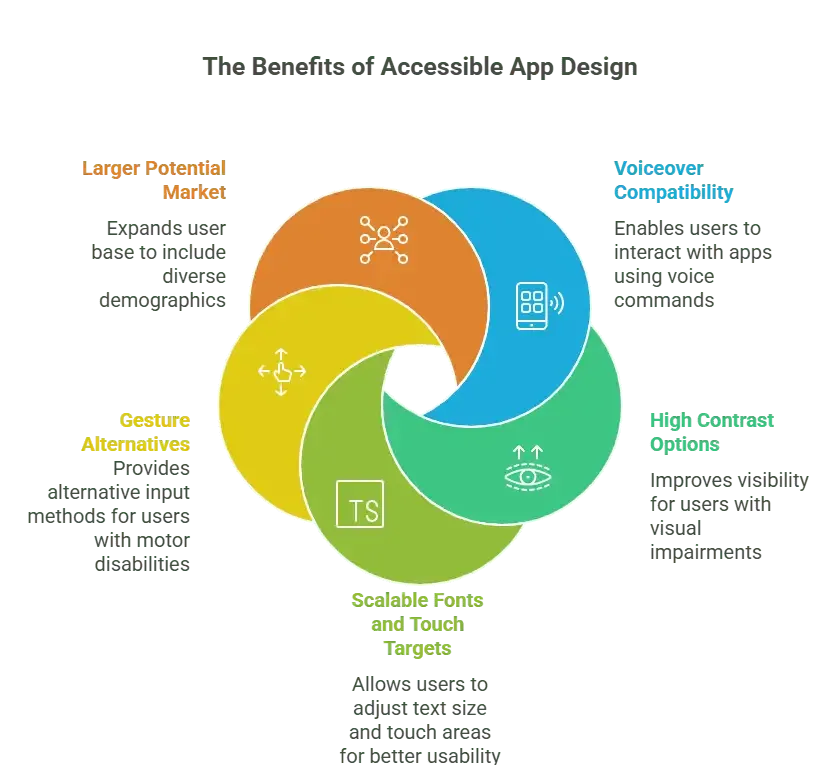
Making content accessible is not exactly an ethical decision to make, but a profitable one. Accessible applications are inclusive of more of the market that consists of differently-abled users as well as the elderly. Such important characteristics are voiceover compatibility, options to increase contrast, fonts that can be enlarged and gesture alternatives. Such design options render apps usable by all people, enhancing brand name and customer patronage. As an example, one can mention Microsoft seeing an AI app that enables millions of visually impaired users around the globe by using inclusive UX.
Test with Real Users Not Just Teams
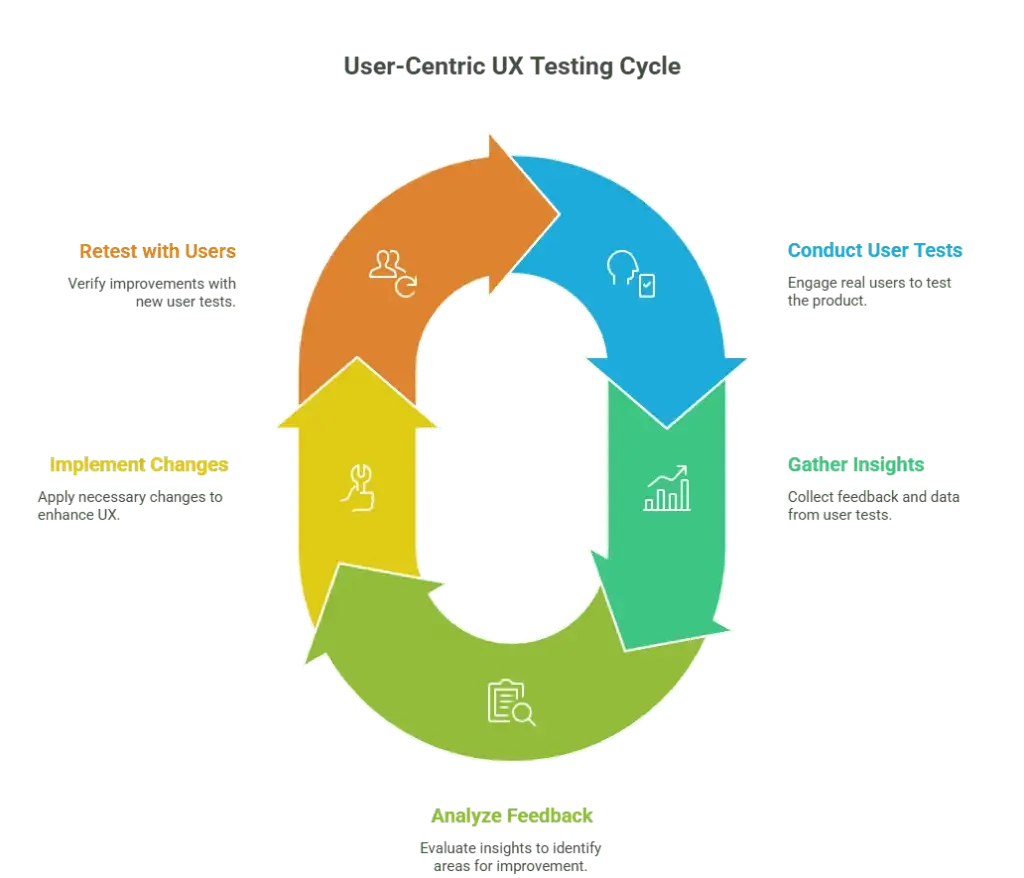
Biotesting is typically biased they are a group of people that have already used this app. When testing usability using actual target users, you will discover friction points that you would have missed. Instruments such as User Testing and Maze are easy to use and provide the strengths to enhance the UX prior to launching. Real knowledge: UX manager teams do not need to wait until the end: they combine user testing processes with each sprint. The strategy promotes constant improvement and the creation of a product, which actually works.
Real-World Success Story: How Duolingo Made UX Its Growth Engine
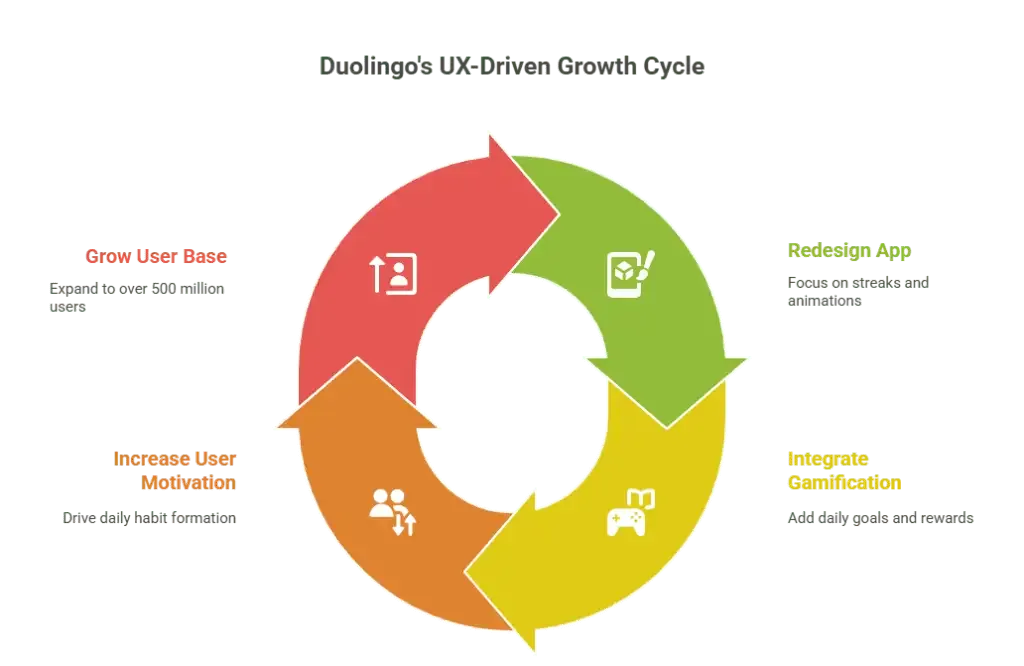
After Duolingo overhauled its application by introducing streaks, small animations, and easier lesson sequences, the number of people who use the app on a daily basis increased by 30 percent in a matter of weeks. Their main conclusion was white and black: motivation is the key to great UX. It became an enjoyable experience because of gamified aspects such as daily achievements, rewards or entertaining micro-interactions. This made the learning of language a joyful everyday activity and not a burden. Due to its user-centric powerhouse design, now over 500 million users have access to Duolingo.
UX Trends Shaping Next-Gen Mobile Apps
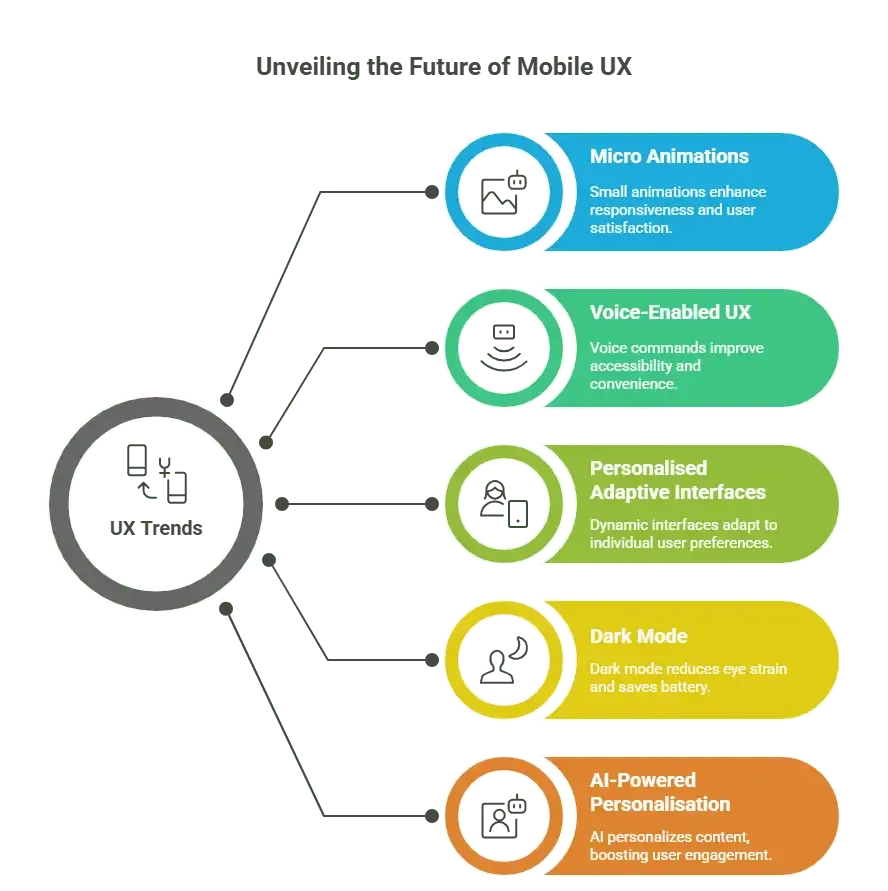
The mobile UX world is continuously developing and there are new trends forming user demands. These are micro animations, and AI-powered personalization which are changing the way users can be engaged, retained and even delighted in their daily lives through apps.
Micro Animations for Feedback
There is a feeling of responsiveness and delight by displaying small animations on button tap, the loading steps or confirmation of progress. They lead users through interactions without any problems and the app feels faster and more intuitive. These slight visual expressions do not make the interface overwhelming but do increase satisfaction among the users.
Voice-Enabled UX
Voice command and voice-search is increasingly being a requirement in terms of accessibility and convenience, particularly in productivity and utility applications. They enable the user to operate without using their hands, making their interaction more friendly in the work process. This is also an inclusive design trend that makes it more accessible to users that are not able-bodied, or those with restricted mobility.
Personalized Adaptive Interfaces
Online applications are modifying UI pieces to reflect the user response a way by which they utilize them and what they love, making it easier and more sensible. This implies that layouts, content, and features change dynamically to accommodate the individual needs. The result of such personalization is more intuitive and involving user experience.
Dark Mode as a Standard
The benefit of the dark mode is that it decreases the workload on a user by minimizing the pressure on the eyes and preserving battery life. It is not a luxury anymore but a necessity in the current applications. It is also more accommodating to users, who are sensitive to bright screens since it offers dark mode as well.
AI-Powered UX Personalization
Whether it is Netflix recommending one specific movie or Spotify creating personalized playlists, AI-assisted UX is being used to provide more unique experiences and, thereby, increase engagement. Through analysis of the user behavior, these smart systems present the appropriate content and features to the user. Such individuality keeps the users active and invites them to explore more.
Why User Experience Determines App Survival and Market Position
This article explored the quantifiable role of UX design in the success of mobile apps, covering the creation of compelling first impressions to lowering the rate of user abandonment to creating features that are truly valuable as well as valued by their users. Among the best practices that were discussed during the event were the design that is accessible first, less is more, as a single-handed device, loading performance under 2 seconds, onboarding experience, educate users in a proper way, and an unbroken testing procedure by real users.
The practical case studies of Duolingo, Airbnb, and Booking.com vividly demonstrate how the conscious strategic choice of UX brings about quantifiable long-term company expansion.Exceptional UX is no longer an option in the modern competitive mobile environment, but your competitive differentiator. Applications designed based on truly humanistic and intuitive design values do not attract users only at the beginning but provide conditions of guaranteed retention and long-term loyalty.
The quality of design defines what is worth constructing meticulously. It determines whether downloads will be enduring utilities that users are more than happy to recommend to a wider audience.

NATHAN ALLEN
I'm Nathan Allen, Director of Artificial Intelligence at Gyan Solutions, specializing in generative AI systems, custom software, mobile applications, and cloud infrastructure. I design production-scale AI architectures and enterprise-grade applications that solve complex business challenges. I've spent 8+ years architecting AI solutions, building custom software across iOS and Android, developing scalable SaaS applications, and designing reliable cloud infrastructure. I've delivered 20+ enterprise applications, mentored engineering teams, and maintained 90%+ on-time delivery through disciplined development practices. My core belief: the best technology is invisible. It simply works reliably and drives measurable business impact.





