
Health & Life Sciences
Mobile data capture, operational workflows, internal applications, approvals, reporting access, field activity, and role-based system access for regulated and process-driven teams.
Explore Health & Life Sciences →

TECHNOLOGY IMPLEMENTATION & MOBILE SOFTWARE
Build mobile applications that fit the way your employees, field teams, customers, and partners actually work. We design mobile software around real workflows, system access, data capture, integrations, offline needs, and the work that needs to happen away from a desktop.
Start with a practical conversation before deciding what type of application to build.
Give technicians, employees, supervisors, and operational teams access to the tasks, information, and workflows they need wherever work happens.
Capture forms, photos, signatures, scans, inspections, inventory activity, and operational records directly at the point of work.
Give customers, contractors, suppliers, and partners secure mobile access to the workflows and information relevant to them.
Extend ERP, CRM, inventory, scheduling, reporting, and custom systems to mobile users without automatically replacing the underlying platform.
Years of Implementation Experience
Projects Delivered Successfully
Industries Supported
Average Efficiency Improvement




Some organizations know their field teams, employees, or customers need a better way to work from mobile devices but aren't yet certain whether an app is the right answer. Others already have a defined mobile software development requirement and need the right team to build it. Choose the path that matches what you already know.
For organizations experiencing field, mobile, or workforce workflow problems but unsure whether mobile software development is the right technology to introduce.
 Review how work currently moves between field teams, office staff, customers, and mobile users.Identify manual handoffs, duplicate entry, access limitations, delayed reporting, and recurring information gaps.Determine whether the right answer is mobile software development, a responsive portal, or process improvement.
Operational Review & Improvement can stand alone as a complete engagement.
For organizations that already know mobile software development or a mobile system extension is required and ready to build.
Build field, workforce, customer, partner, inspection, inventory, and mobile data-capture applications.Connect mobile software with ERP, CRM, scheduling, inventory, databases, APIs, and dashboards.Deliver cross-platform, native, web-based, and offline-capable applications matched to the operating environment.Technology & AI Implementation can be engaged independently or follow advisory work.
Each mobile software build starts with the workflow behind it. We look at where the user is working, what they need to see or capture, which systems need to connect, what happens before and after the mobile interaction, and what the application must support before anything is built.
Mobile applications that connect technicians and field teams with work orders, customer information, site records, schedules, assets, documentation, and office operations.
A mobile operating layer for employees performing work away from a central office or desktop environment.
When field teams depend on calls, texts, paper, spreadsheets, email, or disconnected applications to receive work and report what happened.
Work-order applications, technician workflows, job updates, site information, photos, signatures, inspections, task completion, customer sign-off, and integration with the systems used by the office.
Start with the workflow and system requirement before choosing the mobile technology.
Mobile software development becomes the right move when important work happens away from a desk, but the systems, data, and workflows needed to complete that work are not easy to access in the moment.
Your ERP, CRM, scheduling platform, inventory system, database, or internal application may already hold the right information. The issue is that employees, field teams, warehouse users, customers, or partners cannot easily use that information while the work is happening.
A well-designed mobile application closes that gap by helping users capture updates, complete tasks, access records, submit information, and keep connected systems current from the point of work.
Field teams rely on calls, texts, emails, or paper to receive assignments.Information collected away from the office must be entered again later.Employees cannot access job, customer, asset, inventory, or operational data in the field.Photos, signatures, forms, inspections, or completion records are collected manually.Managers cannot see field activity until updates are submitted later.Customers repeatedly ask for information that could be available through self-service.Warehouse or facility teams return to terminals to update activity.Your ERP or CRM works, but it is difficult to use from a mobile device.Mobile software should not copy a desktop system onto a smaller screen. It should make real work easier by connecting tasks, data capture, system updates, reporting, and decisions where the work actually happens.
A mobile software development project should not begin with the device. It should begin with the work: who is using the application, what they need to complete, what information they need, and which systems must stay connected.
We map where the user works, what they need to do, what information they need, which systems are involved, what is currently manual, and what must happen after each action is completed.
We turn the workflow into a clear mobile application scope, including user roles, screens, data requirements, offline needs, notifications, permissions, integrations, reporting, and expected outputs.
We build the mobile application around the operating environment. That may include backend services, APIs, databases, authentication, dashboards, synchronization, notifications, admin tools, and system integrations.
Start with a fit call. We can help determine whether the right path is a native app, cross-platform app, responsive portal, PWA, integration, automation, or improvement to an existing system.
We choose technology around the users, workflow, existing system environment, device requirements, connectivity, security, integration needs, and long-term support plan. The objective is not to choose a framework because it is popular. The objective is to build mobile software that is stable, maintainable, practical, and appropriate for how the application will actually be used.

React Native
Swift
Kotlin
React
Next.js
Vue
TypeScript
Node.js
Python
.NET
REST APIs
Webhooks
Middleware
Integration services
AWS
Microsoft Azure
Google Cloud
PostgreSQL
MySQL
MongoDB
Docker
CI/CD
Monitoring
Logging
Mobile applications become significantly more useful when they connect directly with the systems already supporting the business.
Microsoft Dynamics
NetSuite
Odoo
QuickBooks
Custom ERP environments
Salesforce
HubSpot
Existing CRM platforms
Field-service platforms
Scheduling systems
Inventory systems
Order-management systems
QMS / LIMS environments
Custom operational applications
REST APIs
Webhooks
ETL pipelines
Middleware
Custom integration services
Power BI
Tableau
Metabase
Custom operational dashboards
Gyan Solutions builds mobile software around operational context. Each industry has different users, environments, connectivity requirements, workflows, systems, and execution pressures. We design around those realities rather than using generic application templates.
Mobile data capture, operational workflows, internal applications, approvals, reporting access, field activity, and role-based system access for regulated and process-driven teams.
Explore Health & Life Sciences →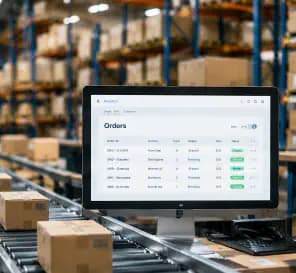
Warehouse activity, inventory workflows, order visibility, fulfillment updates, delivery processes, customer interaction, and mobile operational reporting.
Explore Ecommerce →
Technician applications, work orders, inspections, scheduling, dispatch, asset records, site documentation, completion workflows, and field-to-office visibility.
Explore Facilities & Field →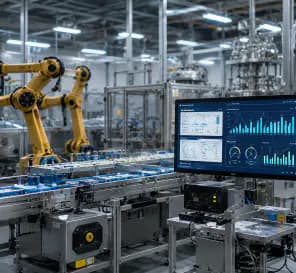
Plant-floor data capture, maintenance workflows, inspections, inventory activity, supervisor visibility, operational records, and access to production-related information.
Explore Manufacturing →A good mobile build starts with clear decisions. Gyan Solutions keeps implementation practical, focused, and tied to the environment in which the application will actually be used.
We start with where the work happens, who needs mobile access, and what information must move between users and existing systems before deciding what should be built.
We discuss your users, locations, field or mobile workflows, data capture, connectivity, existing systems, reporting needs, and any defined mobile application requirement.
We review how work happens away from the desk and define whether the need is workflow improvement, a mobile application, responsive portal, system extension, integration, automation, or a combination.
Based on that scope, we support workflow redesign and system alignment through mobile interfaces, APIs, offline capabilities, notifications, dashboards, integrations, and supporting backend services where needed.
30-minute call
No obligation
Consulting and implementation scoped separately
Real outcomes from our operations consulting and implementation engagements.
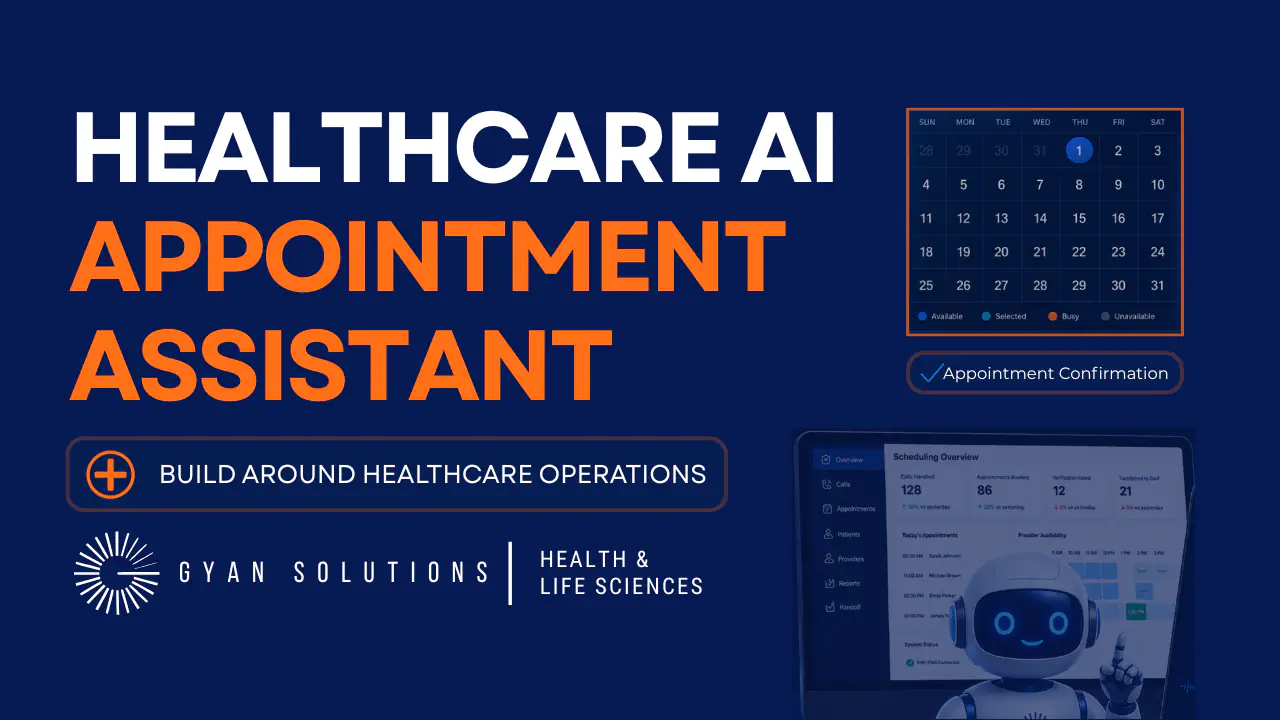
See how Gyan Solutions Health & Life Sciences experts designed an AI-enabled scheduling workflow around patient verification, provider availability, EHR/PMS updates, confirmation steps, and safe staff handoff.
Verify patients before system changesCheck provider availability and scheduling rulesSend confirmation details after bookingTransfer safely when human review is needed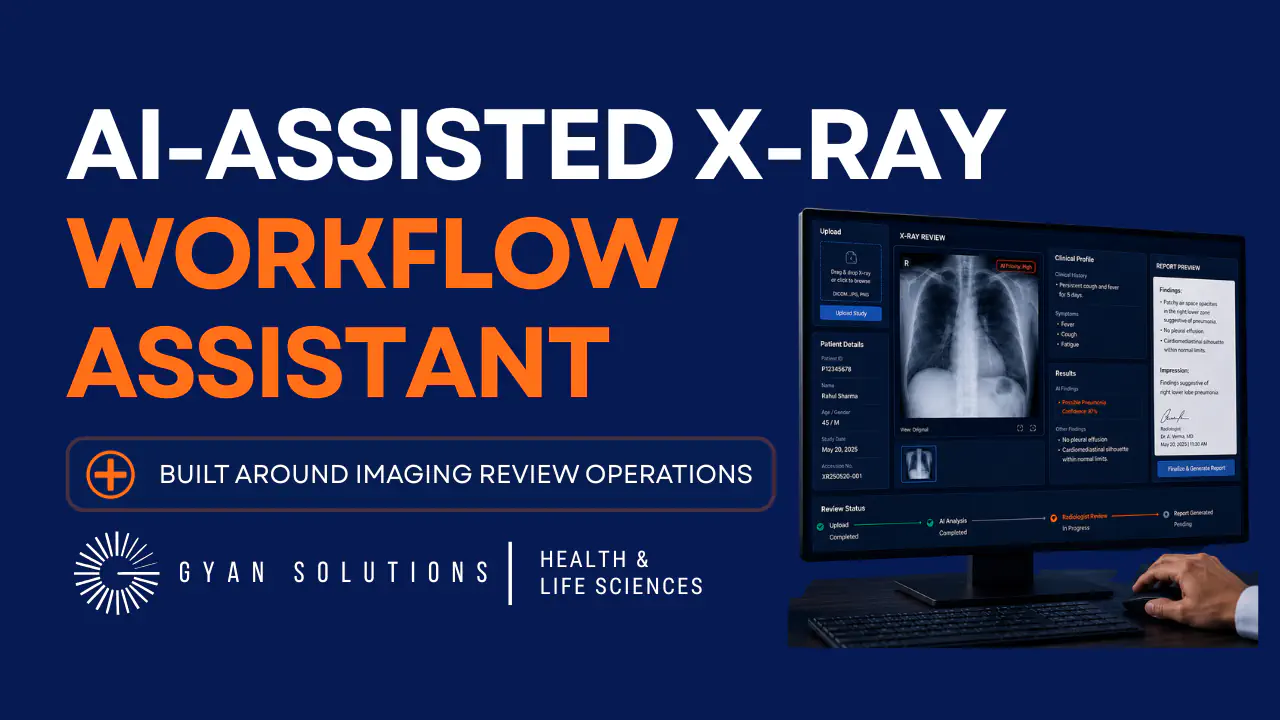
See how Gyan Solutions Health & Life Sciences experts designed an AI-assisted X-ray workflow around image upload, patient context, clinical information, human-initiated review, results support, and structured reviewer handoff.
Connect image, patient details, and clinical context in one workspaceStart AI-assisted review only when the case is readySeparate model output from final clinical interpretationSupport clearer reviewer handoffs with labs, notes, and treatment contextReal outcomes from operations consulting and implementation work that drives clarity, efficiency, and measurable business impact.



Gyan Solutions understood that we needed more than a standard booking tool. They translated our clinic’s scheduling requirements into an AI-assisted operator that could support appointment inquiries, booking, and staff handoffs while keeping our team in control of the process.


Gyan Solutions brought a structured and practical approach to our work. They understood the importance of clear processes, defined accountability, and solutions that could operate effectively within a quality-focused pharmaceutical environment.
Biotechnology Company
Gyan Solutions brought structure and visibility to a complex clinical-stage development program. They took the time to understand the dependencies across CMC, Quality, Clinical Operations, supply, and external partners, then established a practical framework that improved ownership, coordination, and decision-making without disrupting our existing systems.
Connect the people doing the work with the systems and information supporting it.
Request a Free Operations Fit Call→


Mobile requirements often begin with a workflow, data-access, or system-connection problem. Explore the related area that best matches how mobile work needs to connect with the wider operation.
When the mobile application is part of a broader internal platform, customer portal, operational tool, or custom business workflow.
When mobile users need reliable access to ERP, CRM, inventory, scheduling, database, or operational system information.
When mobile activity should trigger approvals, notifications, task routing, status updates, or other automated workflow steps.
When field, warehouse, customer, or mobile activity needs to feed clearer operational dashboards and management reporting.
Mobile software development involves designing and building applications that allow users to perform business activities through smartphones, tablets, or other mobile devices. For Gyan Solutions, that can include field applications, workforce tools, customer applications, mobile data capture, ERP and CRM extensions, inventory workflows, dashboards, and operational applications connected with existing business systems.
A mobile application is most useful when an important workflow occurs away from the desktop and users need to access information, capture data, complete tasks, or interact with business systems while the work is happening.
Yes. Depending on the requirement, we can use cross-platform development or platform-specific technologies such as Swift for iOS and Kotlin for Android. The decision depends on the workflow, device capabilities, performance requirements, operating environment, and long-term support needs.
There is no single answer for every project. Cross-platform development can be practical when iOS and Android applications share substantial functionality. Native development can make more sense when deeper operating-system functionality, device features, performance, or platform-specific behavior is required. We select the approach after understanding the application requirement.
Yes. Mobile applications can connect with ERP, CRM, inventory, scheduling, field-service, order-management, databases, reporting platforms, and other operational systems through APIs, webhooks, middleware, and custom integrations.
Yes, where the requirement calls for it. Offline workflows can include locally stored information, queued submissions, synchronization when connectivity returns, and rules for handling conflicting updates.
Yes. We can assess an existing application, architecture, backend, APIs, integrations, interface, and workflow and determine what should be improved, retained, rebuilt, or progressively replaced.
Yes. Many useful mobile applications are internal operational systems rather than consumer-facing apps. Examples include technician applications, inspections, inventory workflows, approvals, task management, field reporting, and supervisor tools.
No. Depending on the workflow, a responsive web application or Progressive Web Application may provide a better solution. We determine the delivery model around what users need to do rather than assuming every mobile project needs an App Store or Google Play application.
Not always. If the requirement, users, workflow, integrations, and expected outcome are already clearly defined, implementation can be scoped directly. If those elements are unclear, reviewing the workflow first can prevent unnecessary development.
Tell us what your employees, field teams, customers, or partners need to accomplish from a mobile device. We'll schedule a 30-minute Operations Fit Call to understand the workflow, existing systems, users, and desired outcome and determine the appropriate next step.
Focused on your goals
You decide the next step.
Consulting & implementation
 View Case Study