
Health & Life Sciences
Support document workflows, operational knowledge retrieval, information review, controlled routing, exception handling, and other clearly defined AI-assisted processes.
Explore Health & Life Sciences →

APPLIED AI & WORKFLOW AUTOMATION
Use AI inside defined workflows to help interpret information, process documents, classify requests, retrieve knowledge, prepare outputs, and move work forward. Gyan Solutions combines AI, automation, integrations, business rules, and human review around operational workflows that require more than simple rule-based automation.
Start with the workflow before deciding where AI should act.
Use AI to classify, extract, summarize, compare, and route information within defined business processes.
Use AI to interpret incoming requests, categorize work, identify exceptions, and route items to the appropriate workflow or user.
Retrieve approved information from documents and business systems as part of automated operational workflows.
Combine AI assistance with approvals, validation, escalation, and responsible human decision points.
Years of Implementation Experience
Projects Delivered Successfully
Industries Supported
Average Efficiency Improvement




Some organizations know repetitive knowledge work, document handling, or operational handoffs are creating unnecessary effort but aren't yet certain what should be automated. Others already have a defined AI workflow automation use case and need the right implementation support. Choose the path that matches where you already have clarity.
For organizations that need to understand and improve the underlying workflow before deciding where automation or AI should be introduced into the process.
 Review workflow steps, users, systems, documents, approvals, and repetitive manual workIdentify where delays, repeated interpretation, information search, or duplicate activity occurDetermine whether the fix is process redesign, rule-based automation, or AI assistance
Operational Review & Improvement can stand alone as a complete engagement, from diagnosis through improvement.
For organizations that already have a defined workflow where AI needs to perform a specific interpretation, retrieval, or classification task.
Define the AI step, workflow rules, system actions, and exception pathsConnect AI services with approved documents, databases, ERP, CRM, and applicationsImplement human review, role-based access, monitoring, and downstream workflow actionsTechnology & AI Implementation can be engaged independently or alongside operational review work.
AI workflow automation combines AI with structured business processes. The AI performs a defined task inside the workflow while rules, systems, users, and approvals determine what happens before and after that step.
Use AI to handle repetitive document-related steps inside a defined operational workflow.
AI-assisted classification, reading, summarization, extraction, comparison, and routing of documents.
When employees repeatedly review similar documents before deciding where they belong or what information needs to be captured.
Turn information contained in documents, messages, forms, or records into structured workflow data.
AI-assisted identification and extraction of defined information from unstructured or semi-structured inputs.
When employees manually read documents or messages and copy important information into another application.
Help incoming work reach the correct process or responsible team faster.
AI-assisted categorization and routing of inbound requests, forms, emails, messages, documents, or service items.
When employees manually review incoming work before determining what it is, who owns it, and what process should follow.
Bring approved information into the workflow when users need context before taking action.
AI-assisted retrieval from approved documents, policies, procedures, records, databases, or knowledge sources.
When employees repeatedly search different systems or document repositories before they can complete a task.
Reduce the effort required to understand information before human review.
AI-assisted preparation of summaries, comparisons, key points, and supporting context.
When responsible users must review large amounts of repetitive information before making a decision or approving a workflow step.
Help teams prioritize items requiring attention.
AI-assisted categorization, summarization, and routing of exceptions within a defined operational process.
When teams manually review large numbers of records or requests to determine which ones need immediate attention.
Use AI to prepare a first output where a human still reviews or approves the final result.
AI-assisted generation of structured text or workflow outputs based on approved information and instructions.
When employees repeatedly prepare similar summaries, responses, internal notes, reports, or standardized communications.
Combine AI assistance with defined human approval and authorization.
A workflow where AI prepares, classifies, summarizes, or recommends information before a responsible user approves the next action.
When AI can reduce repetitive review effort but a person must remain responsible for the final decision.
Use AI output to initiate defined workflow actions once required rules or approvals are satisfied.
AI-connected automation that performs a downstream action based on validated workflow output.
When validated AI output should trigger a defined action in another business system.
Connect AI-assisted steps across multiple business systems.
Workflows involving AI, ERP, CRM, databases, reporting, document systems, custom applications, and automation platforms.
When the information AI needs sits in one system but the resulting workflow action needs to occur somewhere else.
Use traditional automation where the workflow follows clear, predictable logic.
If status = approved → create taskIf invoice is overdue → send notificationIf record changes → update another systemEvery Friday → generate reportIf field is empty → escalateUse Power Automate, n8n, Make, Zapier, APIs, or custom workflow logic.
Use AI where the workflow includes interpretation or unstructured information.
Determine what a request is aboutExtract information from a documentSummarize a case or recordCompare text or documentsRetrieve relevant internal knowledgePrepare a draftCategorize an exceptionAssist a human reviewerRules control the process while AI performs one or more clearly defined interpretation tasks.
A workflow automation project becomes expensive when the technical requirement is clear but the operational problem is not. Before automating a process, document workflow, or approval chain, determine which step actually requires interpretation and where the real constraint exists.
Traditional rule-based automation handles predictable logic well: if a field is empty, escalate; if a status changes, update a record. But many operational workflows include a step that requires judgment, reading a document, categorizing a request, summarizing a case and that's the point where standard automation stops working.
That's the moment AI workflow automation becomes the right fit. It performs the interpretation step inside an otherwise structured process, while rules, approvals, and human review still control everything before and after it.
Employees repeatedly read similar documents before entering data elsewhere.Incoming requests require manual categorization before routing.Teams repeatedly summarize records or cases before review.Staff search the same internal information during the same workflow again.Traditional automation stalls because part of the process requires interpretation.Exceptions need to be categorized manually before they can be routed.One team reviews information manually before another team can act.AI should perform one clearly defined step inside the workflow not take over the process. Rules, approvals, and human review still decide how work moves.
Choosing an AI model or platform should come after the workflow is understood. Start by identifying which step actually requires interpretation, what a good outcome looks like, and where human approval must remain.
We review the trigger, inputs, documents, users, systems, and existing manual steps including current approvals, exceptions, and outputs. This identifies exactly which step in the process actually requires interpretation, rather than simple rule-based logic.
We define precisely what the AI should process, what it should return, and which approved information it may access. This includes what rules apply, where human review is required, and how uncertain or low-confidence results get handled.
We implement the AI service alongside the surrounding workflow logic APIs, integrations, business rules, approval steps, and system actions. Everything is monitored and validated so exceptions are caught, not missed.

OpenAI
Claude
Other approved model/API environments where required
LangChain
Retrieval workflows
Custom AI services
Structured outputs
Tool/API-connected workflows
Microsoft Power Automate
Power Apps
n8n
Make
Zapier
Retool
Node.js
Python
.NET
REST APIs
Webhooks
Middleware
Custom integration services
AWS
Microsoft Azure
Google Cloud
Docker
Microsoft Dynamics
NetSuite
Odoo
QuickBooks
Custom ERP platforms
Salesforce
HubSpot
Existing CRM environments
Custom customer-management systems
Power BI
Tableau
Metabase
Custom operational dashboards
SOPs
Policies
Procedures
Manuals
Internal documents
Shared file repositories
Knowledge bases
Inventory systems
Order-management systems
Scheduling systems
Field-service systems
QMS
LIMS
Internal applications
Databases
Customer portals
Allow responsible users to review AI-generated or AI-classified output before consequential action occurs.
Where appropriate, show the underlying information supporting the AI-assisted result.
Require defined authorization before downstream actions occur.
Route uncertain, incomplete, conflicting, or unusual cases to a human user.
User authentication
Role-based access
Approved information sources
System permissions
Data sent to AI services
Approved inputs
Storage requirements
Client-defined restrictions
API authentication
Credentials
Controlled system access
Required data only
Errors
Exceptions
Failed system actions
Review requirements
Logging
Access, approved information sources, AI-service data handling, connected systems, credentials, and monitoring requirements should be defined around the specific workflow.
Support document workflows, operational knowledge retrieval, information review, controlled routing, exception handling, and other clearly defined AI-assisted processes.
Explore Health & Life Sciences →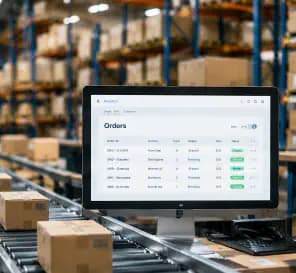
Support customer requests, order-related information, document handling, exception review, product information, internal knowledge, and operational workflow automation.
Explore Ecommerce →
Support incoming service requests, technician knowledge, field documentation, work-order review, customer communication, and field-to-office workflow automation.
Explore Facilities & Field Services →
Support document-heavy processes, maintenance information, internal knowledge, exception review, reporting preparation, and operational workflow assistance.
Explore Manufacturing →We first understand the recurring work, decisions, handoffs, exceptions, and systems involved before deciding which steps should remain human-led and which can be automated.
We discuss your manual workflows, approvals, documents, data, systems, repetitive tasks, exceptions, reporting, and any automation opportunity already identified by your team.
We review the workflow and define whether the need is process improvement, conventional automation, AI-enabled automation, system integration, or both, including ownership, controls, review points, and expected outcomes.
If automation is appropriate, we support the practical implementation through workflow redesign, task routing, integrations, AI-assisted processing, structured outputs, approvals, exception handling, and human-review controls.
30-minute call
No obligation
Consulting and implementation scoped separately
Real outcomes from our operations consulting and implementation engagements.
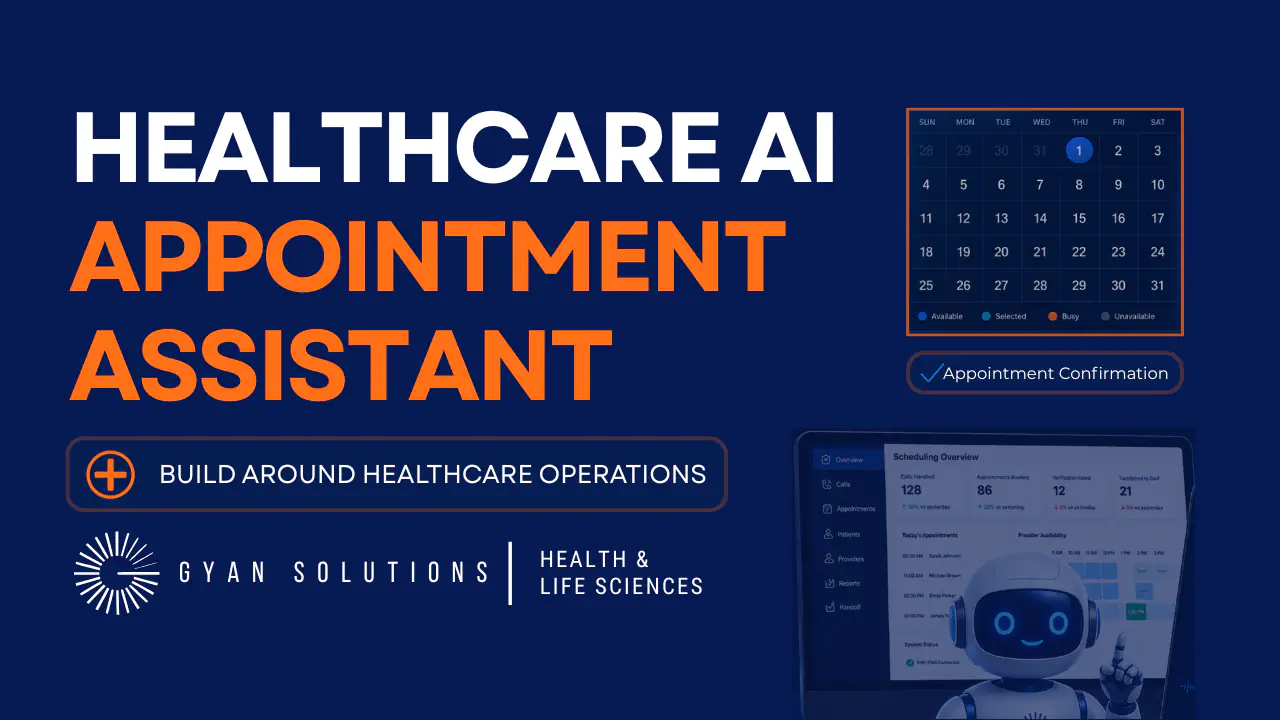
See how Gyan Solutions Health & Life Sciences experts designed an AI-enabled scheduling workflow around patient verification, provider availability, EHR/PMS updates, confirmation steps, and safe staff handoff.
Verify patients before system changesCheck provider availability and scheduling rulesSend confirmation details after bookingTransfer safely when human review is needed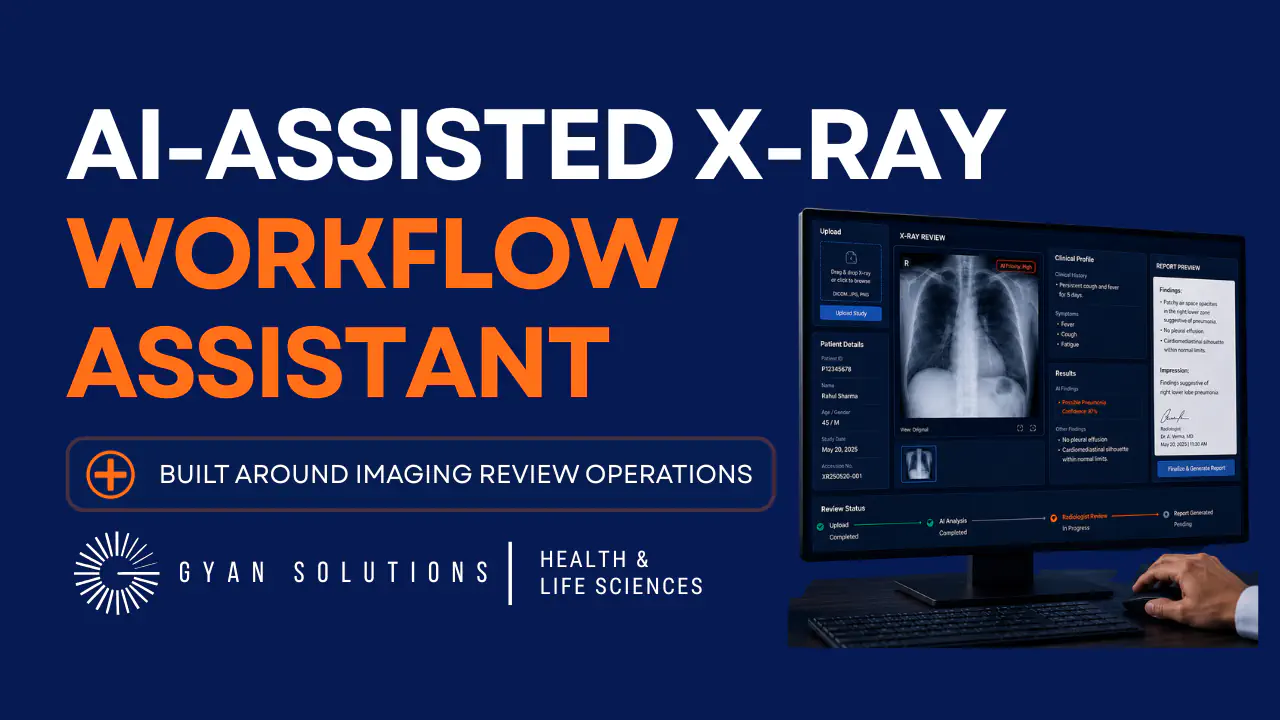
See how Gyan Solutions Health & Life Sciences experts designed an AI-assisted X-ray workflow around image upload, patient context, clinical information, human-initiated review, results support, and structured reviewer handoff.
Connect image, patient details, and clinical context in one workspaceStart AI-assisted review only when the case is readySeparate model output from final clinical interpretationSupport clearer reviewer handoffs with labs, notes, and treatment contextTell us where documents, requests, or repetitive interpretation work are slowing down an otherwise structured process.
Request a Free Operations Fit Call→


Not every workflow needs AI. The right approach depends on how much interpretation, variability, system coordination, and human judgment the process contains.
When workflow rules are clear and deterministic automation can handle approvals, routing, notifications, updates, and repeatable tasks.
When automation depends on reliable information moving between ERP, CRM, databases, APIs, reporting platforms, or internal systems.
When the workflow includes recurring interpretation, comparison, exception analysis, or decision preparation rather than only repetitive tasks.
When the main bottleneck is finding, interpreting, or summarizing information across documents and internal knowledge sources.
AI workflow automation combines AI with business-process automation.Traditional workflow logic controls the process while AI performs defined tasks such as classification, extraction, summarization, retrieval, comparison, or draft preparation.
Traditional automation works best when decisions can be expressed through predictable rules.AI-assisted automation is useful where part of the workflow requires interpretation of documents, text, requests, or other unstructured information.Internal Link Explore Business Automation →/business-automation/
Examples include:Document processing Request classification Knowledge retrieval Information extraction Summarization Exception review Draft preparation Human approval workflows AI-connected system actions
Yes, where technical access is available.AI workflows can connect with ERP, CRM, databases, reporting, portals, APIs, and other business systems.
Yes.Human review and approval can be built into the workflow before a downstream system action occurs.
Yes, depending on the documents and use case.AI can assist in extracting defined information and converting it into structured data for review or downstream use.
Yes.AI can assist with categorizing requests before routing them to the appropriate workflow, person, team, or system.
Yes, where the system is designed around approved information sources and appropriate access controls.
Yes.Once required workflow conditions, validation, and approvals are satisfied, AI-assisted workflows can trigger defined actions through APIs, integrations, or automation platforms.
The workflow should define an exception path.Depending on the use case, uncertain or incomplete results can be routed to a responsible user for additional review.
Depending on the project, technologies may include OpenAI, Claude, LangChain, Power Automate, n8n, Make, Zapier, Retool, Node.js, Python, .NET, APIs, databases, and cloud infrastructure.
Not always.If the workflow, AI task, systems, users, approvals, and expected outcome are already clearly defined, implementation can be scoped directly.If the organization knows a process is inefficient but is not certain what should be automated, an Operational Review can define the correct workflow first.
Tell us where documents, requests, repetitive interpretation, knowledge work, or workflow handoffs are creating unnecessary effort. We'll schedule a 30-minute Operations Fit Call to understand the process and determine whether AI workflow automation, traditional automation, integration, custom software, or another improvement is the right next step.
Focused on your goals
You decide the next step.
Consulting & implementation