
HEALTH & LIFE SCIENCES SYSTEMS INTEGRATION
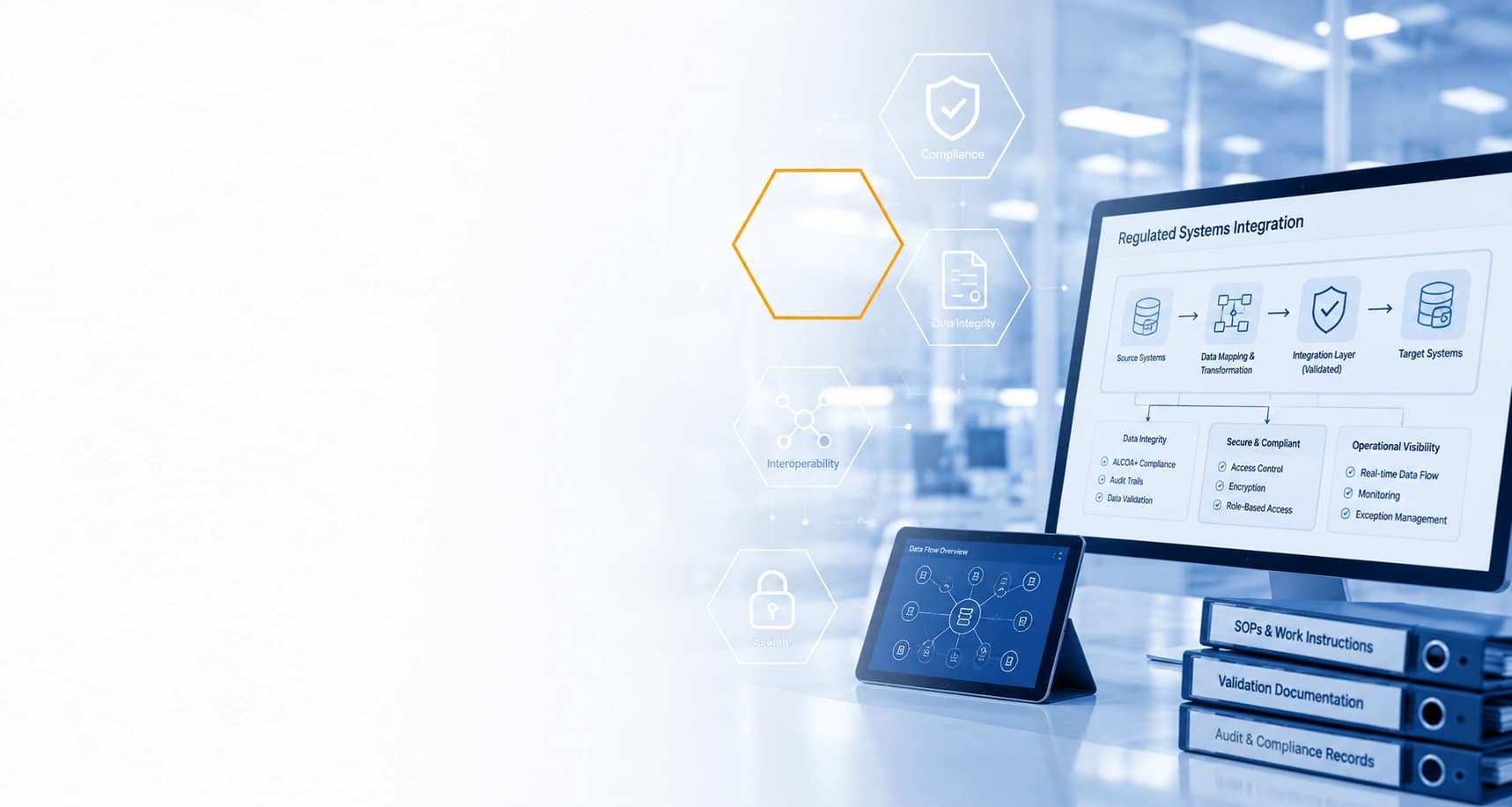
Regulated Systems Integration Built Around Real Operational Workflows
Connect ERP, QMS, LIMS, reporting, document, database, and operational systems around the workflows that depend on them while preserving ownership, controls, traceability, and quality requirements.
Gyan Solutions reviews how information moves between systems first, then identifies where integration can reduce manual handoffs and improve reliability.
Integration should make controlled workflows easier to operate—not create another layer of reconciliation.
Understand the workflow, system handoffs, users, approvals, dependencies, and exceptions before designing how applications should connect.
Define systems of record, identifiers, field ownership, status logic, and update responsibility before information moves automatically.
Design data movement around permissions, validation rules, required reviews, traceability, and approved operational boundaries.
Define how failed transfers, mismatches, duplicates, missing information, and other integration exceptions should be identified and resolved.
Keep authoritative records and update responsibility clear when information is shared across ERP, QMS, LIMS, and connected applications.
Connect systems around existing quality processes, operational responsibilities, approvals, documentation, and applicable validation requirements.
Build visibility into transfers, failures, exceptions, synchronization status, and reconciliation so teams can identify problems earlier.
Choose the Right Path for Regulated Systems Integration
Some teams need to understand where system and data gaps are creating friction. Others already know what needs to connect and require practical integration support.
Operational Review & Improvement
For teams that need to clarify workflow, data, ownership, and system gaps before deciding what should be integrated.
 Map systems, data ownership, approvals, handoffs, spreadsheets, and manual reconciliation.
- Identify where information becomes duplicated, delayed, inconsistent, or difficult to trace.
- Separate integration needs from workflow, reporting, configuration, or ownership problems.
- Define future-state flows, system responsibilities, controls, exceptions, and required outcomes.

Operational Review & Improvement can stand alone from assessment through prioritized improvements.
Technology & AI Implementation
For teams with defined systems, interfaces, and data flows that need practical integration across their existing environment.
- Define source systems, mappings, triggers, permissions, transfer rules, and exception paths.
- Build APIs, middleware, data pipelines, synchronization, and required integration services.
- Apply authentication, validation, logging, monitoring, reconciliation, and access controls.
- Test interfaces, data movement, exceptions, dependencies, and realistic operating scenarios.
Technology & AI Implementation can stand alone or follow an Operational Review.
Regulated Systems Integration Capabilities
Connect regulated and operational systems around defined workflows, data ownership, permissions, validation needs, monitoring, and exception handling rather than treating integration as a purely technical connection.
ERP Integration
Connect ERP with quality, laboratory, inventory, reporting, commercial, operational, and other approved business systems.
Potential Uses
- Inventory/status synchronization
- Purchase/order flows
- Lot or material information
- Finance/operational handoffs
- Master-data alignment
- Reporting feeds
- Workflow triggers
- Custom system connections
Important
ERP remains the designated system of record where defined by the client's environment.
QMS & Quality-System Integration
Connect quality-related systems with the operational information needed to support defined workflows and visibility.
Potential Uses
- Deviation-related information flows
- CAPA status visibility
- Quality-event references
- Approval/status handoffs
- Document references
- Reporting feeds
- ERP/QMS synchronization where appropriate
- Quality dashboard inputs
Do Not Claim
- Automatic compliance
- Automatic quality decisions
- Autonomous deviation closure
- Autonomous CAPA approval
LIMS & Laboratory Integration
Connect laboratory information with operational, quality, reporting, inventory, or other approved systems.
Potential Uses
- Sample/status information
- Testing workflow visibility
- Result/status handoffs
- Laboratory reporting feeds
- Operational dashboards
- Material/batch context
- System notifications
- Controlled downstream workflows
Important
Do not imply that integration itself validates laboratory results or replaces required laboratory review.
Document & Controlled-Record Integration
Connect operational workflows with approved documents, records, procedures, and controlled information sources.
Potential Uses
- Document references
- SOP links
- Record synchronization
- Metadata exchange
- Status updates
- Workflow routing
- Document-system integration
- Retrieval for approved internal applications
Important
The controlled-document system remains authoritative where applicable.
Supply Chain & Inventory Integration
Connect information across procurement, inventory, ERP, warehouse, production-related operations, quality, suppliers, and reporting.
Potential Uses
- Inventory visibility
- Material status
- Supplier information
- Purchase/order status
- Lot information
- Inventory exceptions
- Planning/reporting feeds
- Warehouse/system handoffs
Reporting & Data Integration
Bring information from multiple regulated and operational systems into a clearer reporting environment.
Potential Sources
- ERP
- QMS
- LIMS
- Databases
- Spreadsheets
- Inventory systems
- Operational applications
- Partner data
- Document systems
Potential Outputs
- Operational dashboards
- Quality visibility
- Exception reporting
- Management reporting
- Batch/status views
- Supply visibility
- Cross-system KPIs
Partner & CDMO Data Exchange
Support defined information flows across sponsors, CDMOs, suppliers, laboratories, logistics providers, and other external partners.
Potential Uses
- Status exchange
- Document exchange
- Quality information
- Inventory/material updates
- Milestone reporting
- Sponsor dashboards
- Exception routing
- Structured partner feeds
Important
Do not assume external organizations will provide APIs. The integration method depends on the technical interfaces that are actually available.
Legacy & Custom System Integration
Connect operationally important older applications with newer systems without automatically replacing them.
Potential Methods
- APIs
- Database connections
- Middleware
- File-based integration
- Scheduled data transfer
- Custom services
- Reporting feeds
- Phased modernization layers
Data Synchronization & Mapping
Ensure systems agree on what information means before trying to synchronize it.
Work May Include
- Source-to-target mapping
- Master-data alignment
- Identifier matching
- Field transformation
- Status mapping
- Units/formats
- Validation rules
- One-way synchronization
- Two-way synchronization where appropriate
- Duplicate/conflict handling
Integration Monitoring & Exception Handling
Make failures visible before they turn into operational or quality problems.
Potential Controls
- Integration logs
- Failed-message visibility
- Retry logic
- Exception queues
- Reconciliation
- Alerts
- Error reporting
- Status dashboards
- Operational escalation
When Regulated Systems Integration Becomes the Right Move
Integration becomes important when teams spend too much time transferring, reconciling, checking, or explaining information that already exists elsewhere.
When Systems Work Separately but the Workflow Does Not
ERP, QMS, LIMS, laboratory, reporting, and operational systems may each perform their own role correctly. The breakdown usually appears between them when teams have to re-enter information, compare statuses, reconcile records, or rely on spreadsheets and email to move the workflow forward.
That is where integration becomes an operational issue, not just a technical one. The goal is to connect the right data, ownership, and handoffs so each system can continue doing its job without forcing teams to rebuild the full picture manually.
Signs Your Systems May Need Better Integration
- The same information is entered into multiple systems.
- ERP, QMS, or LIMS statuses require manual reconciliation.
- Spreadsheets are used to bridge gaps between applications.
- Reporting depends on repeated exports and manual preparation.
- Batch, material, or quality information remains fragmented.
- Partner or CDMO updates must be reconstructed internally.
- Integration failures or ownership gaps are discovered manually.
Why This Matters
Better integration reduces reconciliation, improves traceability, and keeps information moving more reliably across the workflow.
Define System Ownership Before Moving Data
System of Record
Define which application owns the authoritative version of each important record.
Data Mapping
Define how identifiers, statuses, fields, units, and records correspond across systems.
Change Responsibility
Define which system or user is permitted to create or update specific information.
Reconciliation
Define how discrepancies, failures, duplicates, and conflicting records are identified and resolved.
Before Systems Are Connected
Workflow Definition
Understand the current workflow and required future state before connecting systems.
System Ownership
Identify systems of record and responsibility for key operational and quality data.
Interface Availability
Confirm APIs, database access, file interfaces, or other supported integration methods.
Data Quality
Assess whether source information is complete and sufficiently reliable for the intended use.
Security & Permissions
Define system credentials, user access, roles, permissions, and data restrictions.
Validation & Change Control
Determine the client's testing, documentation, validation, deployment, and change-control requirements.
Why We Start With the Workflow, Not the API
Understand the Operational Flow

Users
Systems
Data
Documents
Quality processes
Approvals
Existing manual transfers
Reporting
Exceptions
Dependencies
Define the Data & Control Model
System of record
Source and destination
Field mapping
Trigger
Synchronization direction
Timing / frequency
Permissions
Transformation
Validation
Exception handling
Reconciliation
Build, Validate & Monitor
APIs
Middleware
Data pipelines
Synchronization
Authentication
Transformation
Reporting feeds
Logging
Error handling
Realistic operating-scenario validation
Start With the Workflow and Data Model
Define ownership, mappings, triggers, permissions, validation, and exception handling before building the connection.
Systems Across Health & Life Sciences Operations
Integration can connect approved operational, quality, laboratory, reporting, and business systems according to the required workflow and available technical interfaces.
ERP
Microsoft Dynamics
NetSuite
Odoo
QuickBooks where applicable
Custom ERP
Quality
QMS
eQMS
CAPA/deviation environments
Document-control systems
Training systems
Laboratory
LIMS
ELN
Laboratory databases
Laboratory workflow systems
Reporting
Power BI
Tableau
Metabase
Custom dashboards
Operational Systems
Inventory
Warehouse
Scheduling
Supply planning
Production-related systems
Partner portals
Custom applications
Internal databases
Integration & Data Technologies We Work With
Technology selection follows the system interfaces, data flow, workflow requirements, controls, maintainability, and client environment.
Integration
REST APIs
Webhooks
Middleware
ETL / data pipelines
Custom integration services
Backend
Node.js
Python
.NET
Databases
PostgreSQL
MySQL
MongoDB
Existing SQL environments
Cloud
AWS
Microsoft Azure
Google Cloud
Docker
Workflow
Power Automate
n8n
Make
Zapier
Retool where appropriate
Integration Within Existing Quality & Control Requirements
Access & Authentication
System credentials
API authentication
Role-based access
Environment permissions
Data Handling
Approved fields
Controlled transfer
Transformation rules
Client data restrictions
Traceability & Monitoring
Logs
Timestamps
Status visibility
Failure tracking
Reconciliation
Exception history
Validation & Change Control
Testing
Documentation
Validation
Deployment
Change management
Release approval
Security, Privacy & Delivery Assurance
Review security, privacy, access, implementation, and delivery considerations in more detail.
Regulated Systems Integration Across Health & Life Sciences
Integration requirements vary across pharmaceutical, biotechnology, CDMO, and nutraceutical operations based on systems, quality workflows, data, partners, and reporting responsibilities.
Pharmaceutical
ERP/QMS/LIMS
Batch and material information
Quality handoffs
Supply chain
Reporting
Inventory
Partner systems
Biotechnology
Clinical / operational information flows
CMC-related workflows
Inventory
Quality systems
Laboratory information
Partner coordination
Reporting
CDMO
Sponsor/CDMO data exchange
Batch status
Quality events
Tech-transfer information
Reporting
Documentation
ERP/QMS/LIMS connectivity
Nutraceutical
Supplier information
Inventory
QA workflows
Batch records
Reporting
Documentation
ERP integration
Selected Case Studies
Real outcomes from our operations consulting and implementation engagements.
See Health & Life Sciences Systems in Action
How a Regulated Systems Integration Engagement Starts
Start with the workflow and system requirement to determine whether the need is Operational Review & Improvement, Technology & AI Implementation, or both.
Operations Fit Call
Discuss the systems, workflows, data, users, quality requirements, reporting, reconciliation, integration gaps, and any defined implementation requirement.
Define the Engagement Scope
Clarify the systems, information flows, ownership, interfaces, controls, outcomes, responsibilities, validation needs, and implementation boundaries.
Review, Integrate, or Both
Deliver the agreed path from workflow and system assessment through integration design, development, testing, monitoring, and controlled rollout.
30-minute call
No obligation
Consulting and implementation scoped separately
Systems Work Separately but the Workflow Does Not?
Review where information is being transferred, reconciled, or reconstructed manually before deciding what needs to connect.
Request a Free Operations Fit Call→

30-minute call

No obligation

Consulting and implementation scoped separately
Explore Related Health & Life Sciences Paths
Systems integration becomes more valuable when it is tied to the workflow the connection needs to support. Explore the operating environment or adjacent need where data ownership, system handoffs, reporting, and controlled information flow matter most.
Explore by Industry
Pharmaceutical Operations
Explore system alignment across ERP, QMS, LIMS, batch and material information, quality workflows, inventory, reporting, supply-chain handoffs, and partner systems.
Biotechnology Operations
See how connected systems can support CMC, laboratory, quality, clinical-supply, partner, reporting, and cross-functional information flows across biotechnology operations.
CDMO Operations
Explore integration needs across sponsor and CDMO information exchange, batch status, quality events, tech transfer, documentation, reporting, and ERP/QMS/LIMS environments.
Nutraceutical Operations
See how system integration can improve supplier information, inventory, QA workflows, batch records, reporting, documentation, and ERP-connected operational processes.
Explore by Operational Focus
Dashboards & Operational Visibility
When connected systems need to produce one trusted view of production, quality, supply, delivery, exceptions, ownership, and operational performance.
Custom Workflow Software
When ERP, QMS, LIMS, or other platforms connect technically but the operation still needs a dedicated portal, approval layer, tracker, or workflow tool between them.
Pharmaceutical Supply Chain
When ERP, inventory, planning, quality, partner, and reporting systems need stronger information flow across pharmaceutical supply-chain execution.
Biotech Supply Chain
When clinical supply, inventory, quality, partner, laboratory, and planning information must connect more reliably across biotechnology operations.
Common Questions
What is regulated systems integration?
Systems integration in a regulated environment connects applications and data while accounting for workflow ownership, permissions, data integrity, validation requirements, exception handling, and the organization's existing quality processes.
Can Gyan integrate ERP with QMS or LIMS?
Potentially, yes. Feasibility depends on the systems, interfaces, available APIs, data access, permissions, and client requirements.
Can you integrate legacy systems?
Often, yes, depending on the available technical interfaces.
Do systems need APIs?
No. Depending on the environment, integration may use APIs, database connections, middleware, ETL, secure file exchange, or other supported methods.
Can integration support operational dashboards?
Yes.Link to:/operational-reporting-and-decision-support/
Can you connect supplier or CDMO systems?
Potentially. The integration method depends on what technical access each organization makes available.
Does Gyan replace our QMS or LIMS?
Not necessarily. Integration often allows existing systems to continue serving their intended role.
How do you handle integration failures?
Solutions can include logging, monitoring, retries, reconciliation, alerts, exception queues, and human escalation depending on the use case.
Can integrations support GxP environments?
Gyan can work within client-defined regulated and quality-system requirements. Applicable validation and documentation requirements must be established during scope.
Are your integrations automatically 21 CFR Part 11 compliant?
No blanket claim should be made. Applicability depends on the system, intended use, workflow, configuration, controls, and client's compliance requirements.
Can AI be connected to these systems?
Yes, where there is an appropriate use case and approved data/system access.Link:/healthcare/ai-workflow-automation/
Do we need an Operational Review first?
Not always. If the systems, mappings, interfaces, ownership, and required outcome are already defined, implementation can be scoped directly.
Request a Free Operations Fit Call
Tell us where disconnected systems, duplicate entry, data reconciliation, reporting, quality handoffs, or system-to-system information flow are creating operational friction. We'll schedule a 30-minute Operations Fit Call to understand the environment and determine whether integration, data alignment, workflow improvement, reporting, automation, or another approach is appropriate.
Focused on your goals
You decide the next step.
Consulting & implementation