

ECOMMERCE & RETAIL / POS INTEGRATION
Ecommerce POS Integration Built Around Connected Store and Online Operations
Gyan Solutions helps ecommerce and retail organizations connect point-of-sale systems with ecommerce, inventory, customers, orders, fulfillment, returns, ERP, reporting, and other business systems.
We identify where store and online operations stop aligning, then design and implement the integrations, synchronization, automation, and operational workflows required to keep commerce activity connected across channels.
Choose the path that fits your current need for operational clarity or defined implementation.
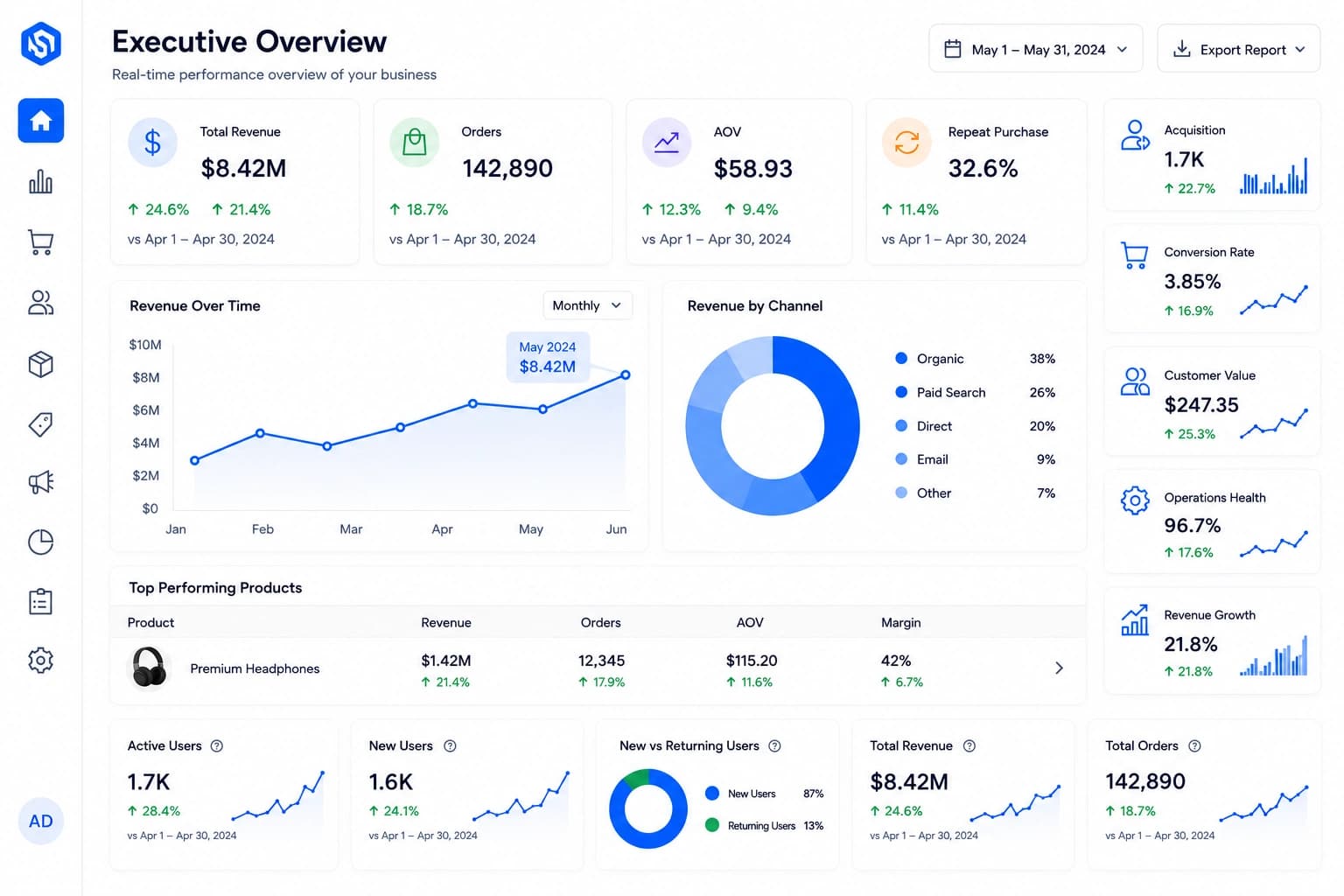
Keep store, ecommerce, warehouse, and channel inventory aligned so teams and customers have a more reliable view of what is available.
Connect ecommerce orders with stores for pickup, fulfillment, returns, exchanges, and other cross-channel workflows.
Align customer, pricing, promotion, account, and loyalty information where the business needs a shared view across channels.
Connect POS activity with ecommerce and operational reporting while reducing manual reconciliation and making integration failures visible.
POS Integration Problems Usually Appear at the Handoff Between Store and Ecommerce
A retailer may have a strong POS system and a strong ecommerce platform. Problems appear when inventory, customers, orders, pricing, returns, or reporting need to move between them. The warning signs often appear in different departments, but they may come from the same disconnect between store and digital operations.
Online Inventory Does Not Match Store Reality
Products appear available online even though store inventory has already been sold, reserved, damaged, transferred, or otherwise unavailable.
Employees Re-enter Orders or Customer Information
Store and ecommerce teams manually copy information because systems do not share the records required by the workflow.
Buy Online, Pick Up in Store Requires Manual Coordination
Store employees rely on email, phone calls, spreadsheets, or separate screens to see incoming orders and prepare them for pickup.
Returns Behave Differently by Channel
An online order cannot be easily returned in store, or the return updates one system without properly updating inventory, order, customer, or reporting information elsewhere.
Pricing and Promotions Do Not Stay Aligned
Store and online pricing, promotions, discounts, loyalty rules, or customer-specific conditions require repeated manual maintenance.
Reporting Does Not Show the Full Business
POS and ecommerce reports remain separate, making it difficult to understand customers, revenue, inventory, returns, or location performance across channels.
Operational Clarity
Not sure whether the problem comes from integration, inventory rules, order workflows, data ownership, or the POS configuration itself?
POS Integration Is an Omnichannel Workflow—not Only a Data Connection
Connecting two systems technically is only part of the requirement.
The business still needs to decide which system owns inventory, where customer records are created, how ecommerce orders appear in the store, how online returns behave in a physical location, which system owns pricing, how quickly stock changes reach ecommerce, and what happens when one system rejects an update.
That is why Gyan approaches POS integration as part of the wider retail operating model.
Key insight
The goal is not simply to synchronize POS and ecommerce data. The goal is to keep store and online operations aligned around the same customer, inventory, order, and business workflow.
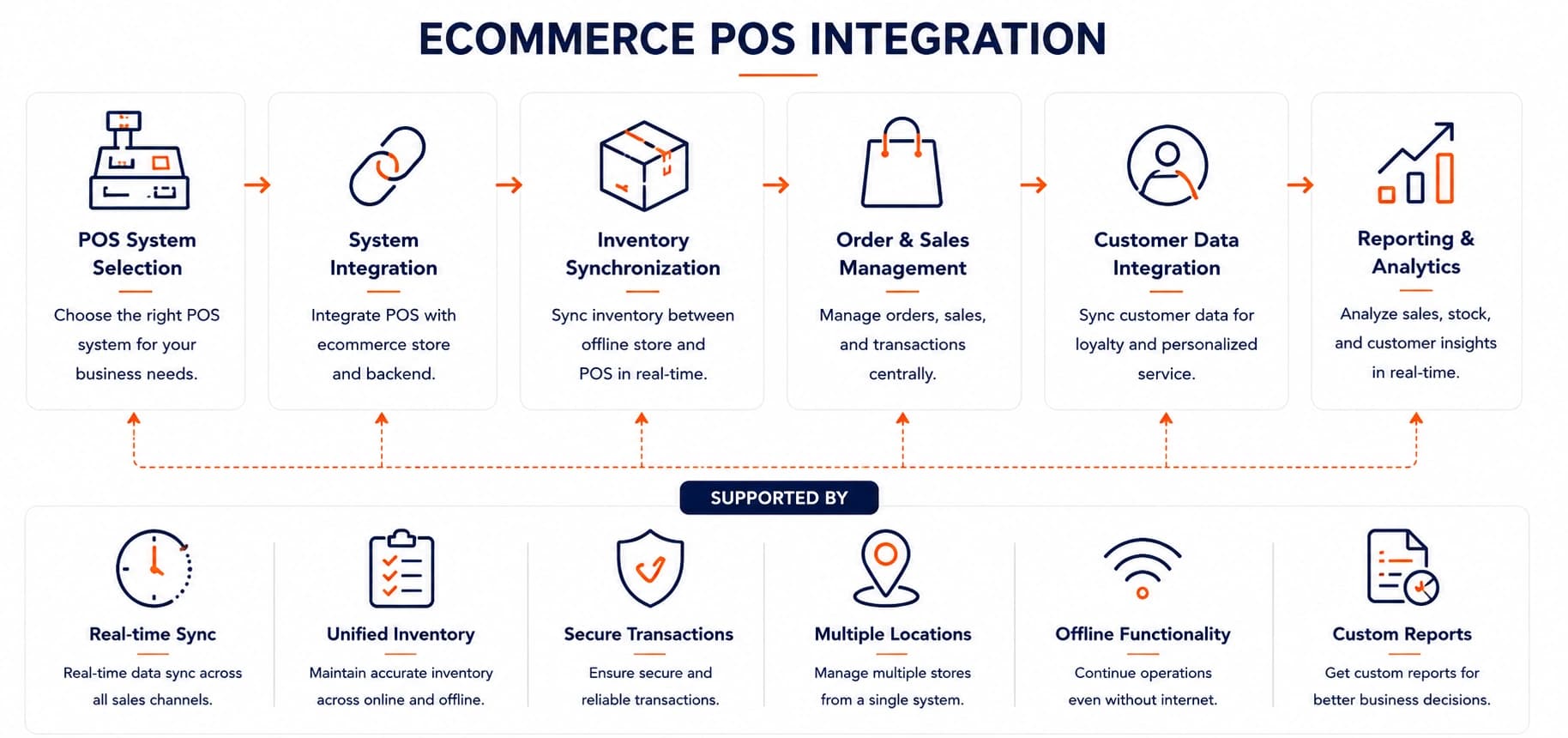
Store / Ecommerce Activity → Integration & Rules → Shared Business Systems → Operational Action → Reporting & Exceptions
Two Focused Ways to Improve POS & Ecommerce Operations
Some retailers know store and online operations are disconnected but are not yet certain what should change. Others already have a defined POS integration requirement and need implementation.
Operational Review & Improvement
For retail teams that need clarity across POS, ecommerce, inventory, customers, orders, returns, pricing, reporting, and ownership before deciding what should be integrated or redesigned.
 Map how store and ecommerce transactions, inventory, customers, orders, fulfillment, returns, pricing, and reporting currently move across systems and teams.
- Identify where manual re-entry, inconsistent information, unclear ownership, synchronization gaps, and channel-specific workarounds create friction.
- Define which system should own each important record and how store and online workflows should interact.

Operational Review & Improvement can stand alone from assessment and workflow redesign through prioritized omnichannel operational improvements.
Technology & AI Implementation
For retailers with a defined need to connect POS with ecommerce, ERP, CRM, OMS, WMS, inventory, loyalty, reporting, or other operational systems.
- Turn the defined POS integration requirement into a practical implementation plan with clear data ownership, mappings, rules, synchronization, and exception handling.
- Connect store transactions, inventory, customers, orders, returns, pricing, loyalty, and reporting with the required business systems.
- Build integrations, automation, monitoring, operational tools, and supporting workflows around actual retail operations.
Technology & AI Implementation can begin independently or work alongside Operational Review & Improvement.
Ecommerce POS
Integration Experience
Our POS integration work is shaped by how stores, ecommerce, customers, inventory, orders, fulfillment, returns, pricing, loyalty, and reporting interact in daily retail operations.
We examine how POS platforms connect with ecommerce, ERP, CRM, OMS, WMS, inventory, loyalty systems, databases, reporting platforms, and custom applications.
This reveals where data ownership, synchronization, workflow, mapping, exception handling, or focused implementation need to improve.
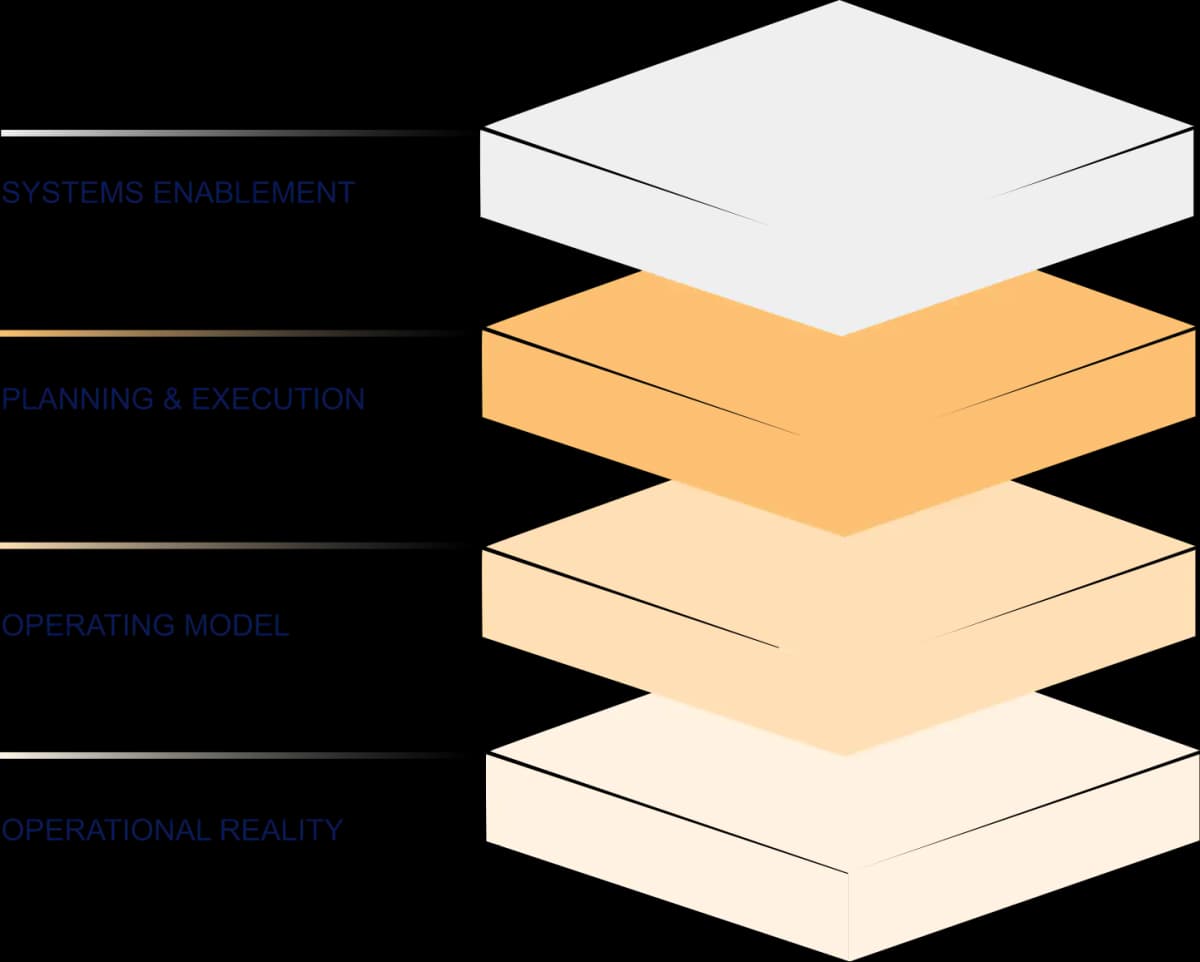
Where POS & Ecommerce Operations Become Connected
We focus on the parts of omnichannel retail where store activity, ecommerce, customers, inventory, orders, returns, and reporting depend on one another.
Inventory Synchronization
Store and ecommerce customers may compete for the same physical inventory. The POS may record store sales immediately while ecommerce, marketplaces, ERP, or other systems still show outdated availability.
What We Examine
- POS inventory
- Ecommerce inventory
- Inventory by store or location
- Warehouse inventory
- Available-to-sell rules
- Reserved inventory
- Safety stock
- Store sales
- Ecommerce reservations
- Transfers
- Inventory adjustments
- Synchronization timing
Desired Outcome
Improve the reliability of inventory information shared between stores, ecommerce, and other selling channels.
Ecommerce Orders & Store Fulfillment
Stores increasingly participate in digital order fulfillment. Online orders may need to move into store workflows for pickup, ship-from-store, local delivery, or other fulfillment models.
What We Examine
- Ecommerce order intake
- Store selection
- Inventory allocation
- Order routing
- Store order queues
- Pick and preparation workflow
- Pickup readiness
- Customer notification
- Customer arrival
- Handoff confirmation
- Order completion
- Fulfillment exceptions
Desired Outcome
Create a clearer workflow from ecommerce order placement through store fulfillment and customer handoff.
Customer & Account Data
Customers may interact with the same retailer through ecommerce, physical stores, customer service, mobile applications, loyalty programs, and other channels. Disconnected customer records make it difficult to understand the relationship consistently.
What We Examine
- Customer identifiers
- POS customer records
- Ecommerce accounts
- CRM records
- Order history
- Purchase history
- Contact information
- Duplicate customers
- Guest transactions
- Account matching
- Customer preferences
- Data ownership
Desired Outcome
Create a more consistent customer view across store and digital interactions without introducing unnecessary duplicate records.
Pricing & Promotions
Pricing and promotional logic may differ by store, channel, product, customer, or campaign. Integration needs to preserve the rules the business actually intends to use.
What We Examine
- Base pricing
- Store pricing
- Ecommerce pricing
- Promotional pricing
- Discounts
- Coupons
- Customer-specific pricing
- Location-specific pricing
- Product eligibility
- Promotion timing
- Price ownership
- Synchronization rules
Desired Outcome
Reduce inconsistent pricing and repeated manual maintenance across store and ecommerce channels.
Returns & Exchanges
Omnichannel returns can become difficult when the original sale, payment, customer, inventory, and return happen in different systems or locations. An ecommerce purchase returned in store needs to update more than the POS transaction.
What We Examine
- Original order lookup
- Ecommerce returns in store
- Store returns
- Return eligibility
- Exchange workflows
- Refund information
- Payment method
- Inventory disposition
- POS updates
- Ecommerce order status
- Customer history
- Exception handling
Desired Outcome
Create a clearer return and exchange workflow across store, ecommerce, inventory, customer, and reporting systems.
Loyalty & Customer Programs
Loyalty and customer programs become more useful when customers can participate consistently across digital and physical channels.
What We Examine
- Customer identification
- Loyalty account
- Points or rewards
- Earn and redemption rules
- Store activity
- Ecommerce activity
- Customer tiers
- Promotions
- Loyalty history
- CRM integration
- Account matching
- Exception handling
Desired Outcome
Keep approved loyalty and customer-program information more consistent across store and ecommerce interactions.
Product & Location Data
Store and ecommerce systems may depend on the same product information but organize or identify it differently. Location data also becomes important when ecommerce needs to expose store availability, pickup, or other local services.
What We Examine
- SKU and product identifiers
- Product master data
- Variants
- Barcodes
- Categories
- Units of measure
- Store identifiers
- Location information
- Fulfillment capability
- Pickup availability
- Product-location relationships
- Source-system ownership
Desired Outcome
Create consistent product and location mappings that support reliable transactions and omnichannel workflows.
Reporting & Exceptions
POS integration should make store and ecommerce activity easier to understand—not create another hidden layer of failed synchronization.
What We Examine
- Store sales
- Ecommerce sales
- Orders
- Inventory
- Returns
- Refunds
- Customer activity
- Location performance
- Fulfillment activity
- Failed integrations
- Missing records
- Synchronization errors
- Exception ownership
Desired Outcome
Give management a clearer cross-channel view while making integration failures visible and actionable.
Implement Around the Store & Ecommerce Workflow the Business Needs
Technology should support a defined omnichannel operating requirement. Once the need is clear, Gyan can plan, build, connect, or improve the relevant POS integration layer.
POS & Ecommerce Integration
Connect store transactions, ecommerce orders, customers, inventory, returns, pricing, and other approved data flows.
POS & ERP Integration
Connect relevant store activity with ERP, finance, inventory, purchasing, product, and reporting workflows.
POS & CRM Integration
Align customer and transaction information with the systems supporting customer relationships and service.
Inventory Synchronization
Keep location-level inventory and ecommerce availability aligned using defined ownership and update rules.
Omnichannel Order Integration
Connect ecommerce orders with store pickup, ship-from-store, local fulfillment, returns, and related workflows.
POS Reporting & Monitoring
Create cross-channel reporting, integration monitoring, reconciliation, alerts, and exception visibility.
Already Know What Needs to Be Connected?
Turn the POS integration requirement into a practical implementation plan.
AI Should Support Retail Operations—not Replace Reliable Integration Rules
AI can help retail teams retrieve information, summarize exceptions, organize support requests, investigate patterns, and assist with operational analysis. It should not replace deterministic logic for transactions, pricing, inventory synchronization, customer access, or other controlled data flows.
Integration Exception Triage
Summarize failed transactions, inventory mismatches, customer-record problems, missing mappings, or other integration issues for employee review.
Store Knowledge Support
Help employees retrieve approved information about store, product, order, return, pickup, and operational procedures.
Customer-Service Context
Bring together permitted store and ecommerce context to support customer-service teams investigating cross-channel issues.
Operational Reporting Support
Help users summarize defined changes across stores, inventory, orders, returns, and other operational measures.
Data Quality Support
Assist with identifying unusual or incomplete product, customer, location, or transaction records requiring review.
Trust Statement
Before applying AI around POS-connected workflows, Gyan defines the source data, system ownership, business rules, transaction boundaries, permissions, and human oversight.
When a POS Integration Fit Call Makes Sense
Use the call to clarify a store/ecommerce operating problem or discuss a defined integration requirement.
When You Need Operational Clarity
- Ecommerce inventory regularly differs from store inventory.
- Store and online customer records do not align.
- Buy online, pick up in store requires manual coordination.
- Online returns in store create operational problems.
- Store and ecommerce pricing or promotions require repeated manual updates.
- Reporting does not connect store and ecommerce activity.
- You know omnichannel operations are disconnected but are not sure which integration should be addressed first.
When the Requirement Is Clear
- POS and ecommerce inventory need synchronization.
- Ecommerce orders need to flow into store workflows.
- Customer information needs to align across POS, ecommerce, and CRM.
- Returns and exchanges need to work across channels.
- POS needs to connect with ERP, OMS, WMS, loyalty, or reporting systems.
- Integration monitoring, reconciliation, or exception handling needs to be implemented.
A Clear Starting Point Without a Forced Sequence
Start with Operational Review & Improvement, Technology & AI Implementation, or both based on how clearly the POS integration requirement is already defined.
POS Integration Fit Call
We discuss the POS, ecommerce platform, stores, customers, inventory, orders, fulfillment, returns, pricing, loyalty, reporting, current systems, and any integration requirement already identified.
Engagement Scope
We define whether the work should focus on Operational Review & Improvement, Technology & AI Implementation, or both. The required systems, source records, mappings, synchronization rules, workflows, exceptions, responsibilities, priorities, timeline, and delivery approach are agreed before work begins.
Review, Implementation, or Both
We deliver the agreed work—from POS/ecommerce workflow review and integration design through APIs, synchronization, automation, monitoring, reporting, testing, and rollout.
30-minute call
No obligation
Review and implementation scoped separately
Who This Is For
This service is designed for established retailers where physical-store and ecommerce operations need to share reliable customer, inventory, order, return, pricing, fulfillment, and reporting information.
Typical Environments
Omnichannel retailers
Multi-location retailers
Retailers with ecommerce and physical stores
Grocery and food retailers
Specialty retailers
High-value retail
Businesses offering store pickup
Retailers using store fulfillment
Organizations using POS, ERP, CRM, OMS, WMS, or several operational systems
Businesses with a defined POS integration requirement
A Different Provider May Be Better If
You only need POS hardware installed
You only need a standard POS account configured
You only need payment terminals installed
You only need basic ecommerce setup
You only need staff training on an existing POS
There is no systems or operational integration requirement behind the work
Connect Store and Ecommerce Operations
Clarify POS, ecommerce, inventory, orders, returns, pricing, and reporting before defining the integration.
Discuss Your POS Integration Requirement→

30-minute call

No obligation

Consulting and implementation scoped separately
Find the Right Ecommerce Operational Starting Point
POS integration problems appear when store and ecommerce activity need to share inventory, customers, orders, pricing, returns, fulfillment, or reporting. Explore the workflow or connected system closest to the mismatch.
Explore by Operational Focus
Inventory Management & Fulfillment
Align physical-store, warehouse, and ecommerce availability so customers and employees work from more reliable inventory information.
Ecommerce Order Management
Coordinate online orders with store pickup, fulfillment, status updates, routing, completion, and other cross-channel order workflows.
Returns Management & Customer Service
Make store and online returns easier to reconcile across payments, order records, inventory adjustments, customer history, and service ownership.
Ecommerce Customer Experience
Reduce friction when customers expect the same account, pricing, loyalty, order, pickup, return, and service experience across stores and digital channels.
Explore by Technology & Integration
ERP & Ecommerce Integration
Connect ecommerce and POS activity with the ERP information responsible for inventory, products, transactions, fulfillment, finance, and reporting.
Ecommerce Analytics Dashboard
Combine store and online sales, inventory, customers, returns, fulfillment, and location performance into clearer management views.
Retail Software Development
Build store tools, operational applications, or supporting integration workflows where existing platforms cannot manage the cross-channel requirement cleanly.
Ecommerce Mobile App Development
Extend connected inventory, loyalty, ordering, pickup, account, store, or employee workflows into mobile experiences supported by the same commerce data.
Common Questions
What is ecommerce POS integration?
Ecommerce POS integration connects a point-of-sale system with ecommerce and other business applications so selected inventory, customer, order, pricing, return, fulfillment, and reporting information can move between store and online operations.
Can Gyan connect ecommerce inventory with POS inventory?
Yes, where the platforms provide the required technical access.The integration can use defined rules around location inventory, available-to-sell quantities, reservations, safety stock, sales, transfers, and update timing.
Can online orders be sent to stores for pickup?
Yes.Where the systems support the workflow, ecommerce orders can be routed into store operations for picking, preparation, pickup readiness, customer notification, handoff, and completion.
Can POS integration support ship-from-store?
Yes.The integration can potentially support store allocation, order routing, fulfillment status, shipment information, inventory updates, and order completion where the required systems support those workflows.
Can ecommerce purchases be returned in a physical store?
Yes, where the systems and business rules support the required omnichannel return workflow.The implementation may need to coordinate order lookup, return eligibility, POS transaction handling, inventory disposition, refunds, and ecommerce order updates.
Can POS customer data be connected with ecommerce or CRM?
Yes.Customer identifiers, account information, transaction history, and other approved customer data can potentially be aligned across POS, ecommerce, CRM, and other systems.
Can pricing and promotions be synchronized?
Yes, depending on the platforms and business requirements.The first step is defining which system owns pricing and promotional rules and which values need to be shared with each channel.
Can Gyan integrate POS with ERP?
Yes, where the POS and ERP provide appropriate technical access.The integration may include transactions, inventory, products, customers, locations, returns, or other defined data flows.
Can POS data be included in ecommerce dashboards?
Yes.Store sales, inventory, returns, customer activity, fulfillment, and other available information can be combined with ecommerce data to support cross-channel reporting.
How do you handle POS integration failures?
The integration should include monitoring and exception handling.Failed records, missing mappings, synchronization errors, API problems, conflicting information, and other issues should be made visible to the appropriate team rather than remaining hidden between systems.
Do we need to replace our POS system?
Not necessarily.If the existing POS continues to meet the store requirement, integration may be a better solution than replacement.The appropriate direction depends on the operational workflow, platform capabilities, technical access, and business requirements.
Do we need an Operational Review before POS integration?
No.If the systems, source data, mappings, synchronization requirements, and desired workflow are already clearly defined, Gyan can move directly into Technology & AI Implementation.Operational Review & Improvement is used when the underlying omnichannel workflow or integration requirement still needs to be clarified.
Discuss Your POS Integration Requirement
Tell us which POS, ecommerce, ERP, CRM, OMS, WMS, inventory, loyalty, reporting, or other systems need to work together. We'll use the initial conversation to understand the store and online workflow, systems, data requirements, operational exceptions, and whether the appropriate starting point is operational review, integration implementation, or a combination.
Focused on your goals
You decide the next step.
Consulting & implementation